

Internet Status 5.9 for macOS is a lightweight network monitoring and internet connection utility designed for Mac users who want real-time visibility into connection quality, network activity, bandwidth usage, and online status directly from the menu bar. The software helps users monitor upload and download traffic, check connectivity conditions, and quickly identify network interruptions without opening large diagnostic applications.
Internet performance problems can interrupt work, streaming, cloud synchronization, online meetings, and file transfers. Internet Status provides a cleaner way to keep track of connection activity by displaying important network information continuously in the background. Users can view current transfer rates, monitor connection behavior, check public IP details, and identify unusual activity before it becomes disruptive. The lightweight design makes it useful for remote workers, content creators, developers, and everyday Mac users who rely heavily on stable internet access.
Version 5.9 improves monitoring accuracy and enhances compatibility with newer macOS releases while refining background performance. Network updates now feel more responsive and bandwidth tracking has been optimized for smoother monitoring during extended sessions. Users already organizing files through A Better Finder Rename or customizing desktop workflows with MacNotch will likely appreciate Internet Status for keeping essential network information available at all times. For users who want simple network visibility without complicated configuration, it remains a practical macOS utility.
Key Features of Internet Status 5.9 for macOS
- Real-time network monitoring
Track upload and download activity directly from the menu bar. - Connection status visibility
Monitor internet availability and network behavior continuously. - Bandwidth tracking
View current transfer speeds and usage activity. - Public IP information
Display connection details and network information quickly. - Background monitoring
Run efficiently without interrupting daily workflows. - Lightweight interface
Access network information without opening additional tools.
What’s new in Internet Status 5.9?
- Improved real-time bandwidth monitoring
- Enhanced network activity tracking accuracy
- Better compatibility with newer macOS releases
- Improved menu bar responsiveness
- Enhanced background performance optimization
- Better handling of changing network conditions
- Updated connection status detection
- Improved traffic monitoring efficiency
- Enhanced network information reporting
- Reduced resource usage during monitoring
- Improved overall application stability
- Other bug fixes and performance improvements.
ScreenShots
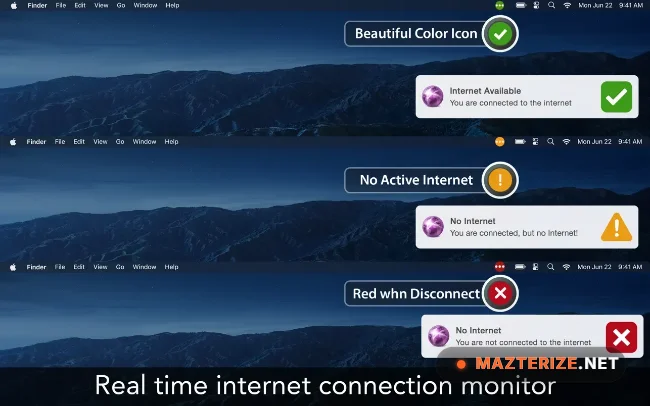
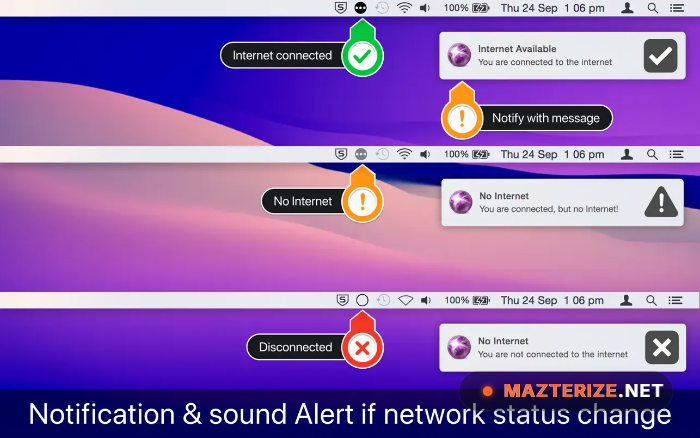
System Requirements
- Operating System: macOS 11 Big Sur or later
- Processor: Apple Silicon or Intel Processor
- RAM: 4 GB minimum
- Storage: 100 MB free space
- Internet: Required for monitoring and status features
Why I Recommend
Internet Status is useful because it gives quick visibility into network performance without requiring full diagnostic software.The menu bar integration makes it convenient to monitor internet behavior while working, streaming, or transferring files.Its lightweight approach keeps system impact low while still showing useful connection information.
Technical Details
- Software Name: Internet Status
- Version: 5.9
- Developer: Voros Innovation
- License Type: Free
- Supported OS: macOS
Download Information
Download | Size: 10.49 MB | Pass: Mazterize.net
