

Inkscape 1.4.4 is a professional open-source vector graphics and illustration software for Windows designed for creating scalable artwork, logos, icons, diagrams, and digital illustrations using advanced vector editing tools. The software is widely used by designers, illustrators, web developers, and creative professionals who need flexible SVG-based design workflows.
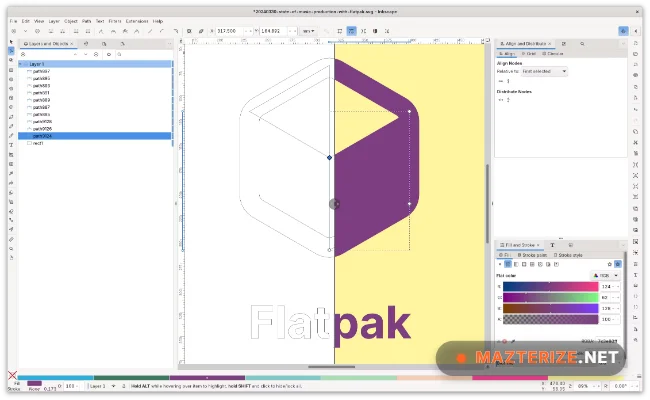
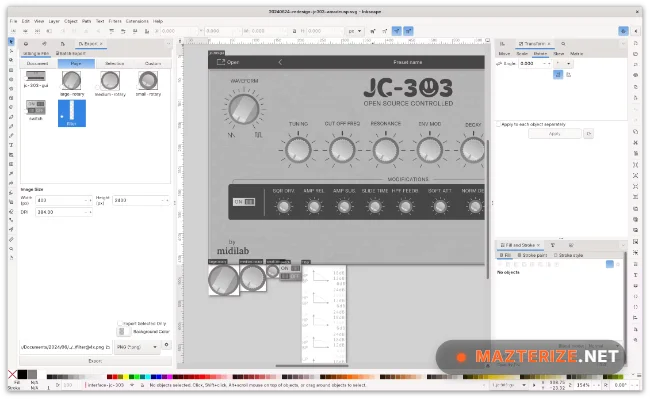
The application includes vector drawing tools, node editing, path operations, text manipulation, SVG support, layer management, gradient editing, shape creation, and export features for professional graphic design projects. Users can create scalable artwork, UI elements, branding materials, technical diagrams, and printable vector graphics efficiently.
Version 1.4.4 improves rendering performance, updates SVG compatibility, and fixes several stability issues reported in earlier releases. Large vector projects load faster, editing workflows feel smoother during complex path operations, and memory usage remains more optimized during high-resolution design sessions. Users who already edit raster artwork using Affinity by Canva or preview design assets with ImageGlass can integrate Inkscape naturally into the same creative workflow.
Common Issues & Troubleshooting
- Slow Performance on Large SVG Files
Reduce unnecessary layers and simplify complex vector paths when possible. - Fonts Not Displaying Correctly
Install missing fonts and restart the application after font installation. - Exported Images Looking Blurry
Increase export resolution and verify correct DPI settings before exporting.
Key Features of Inkscape 1.4.4
- Professional Vector Drawing Tools
Create scalable vector artwork, logos, and illustrations efficiently. - Advanced Path and Node Editing
Edit vector paths precisely using flexible node controls. - SVG File Compatibility
Supports industry-standard SVG vector graphic workflows. - Layer and Object Management
Organize complex projects using structured layer systems. - Text and Typography Tools
Design vector typography and editable text-based artwork. - Export and Format Support
Export graphics in multiple formats for web and print projects.
ScreenShots
System Requirements
- Operating System: Windows 10 / Windows 11
- Processor: Intel Core i3 or higher
- RAM: 4 GB minimum
- Storage: 1 GB free space
- Graphics: DirectX-compatible display adapter
Why I Recommend
Inkscape works well because it provides powerful vector illustration tools while remaining lightweight and accessible for both beginners and professional designers.
The SVG editing and path manipulation system are especially useful for logo design, scalable illustrations, web graphics, and technical artwork projects.
The software also performs reliably during larger design sessions. Vector rendering remains stable, editing workflows stay responsive, and export quality remains suitable for professional creative work.
Technical Details
- Software Name: Inkscape
- Version: 1.4.4
- Developer: Inkscape Project
- License Type: Freeware
- Supported OS: Windows
Download Information
Download | Size: 112.73 MB | Pass: Mazterize.net
