

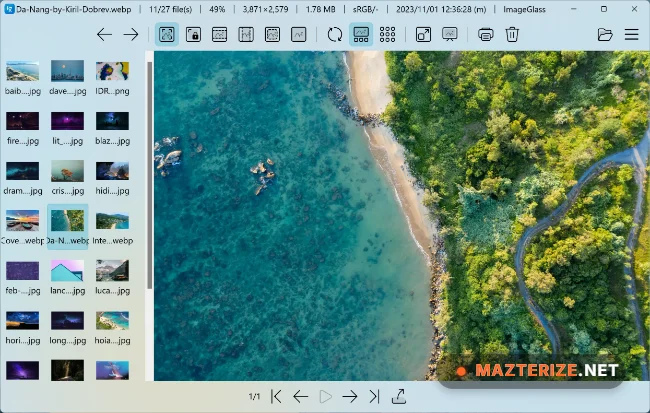
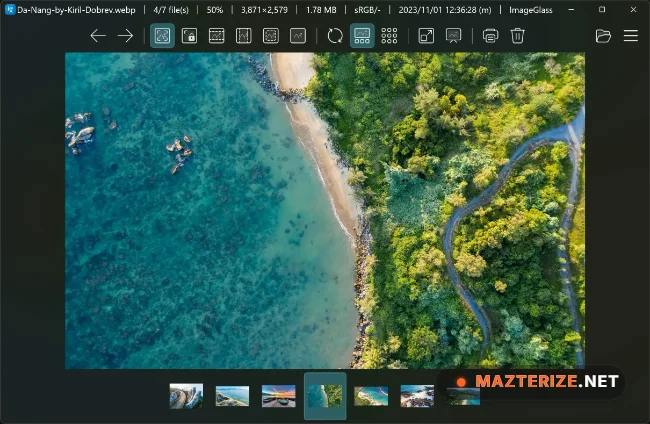
ImageGlass 9.5.0.515 is a lightweight image viewer and photo management software for Windows designed for fast image browsing, viewing, and format support across modern systems. The software provides a clean interface with responsive performance for users handling large image collections and multiple graphic file types.
The application supports PNG, JPG, GIF, WEBP, SVG, RAW, PSD, HEIC, and additional image formats while providing slideshow features, zoom controls, image rotation, theme customization, clipboard support, and multi-frame image viewing tools. Users can preview photos quickly without heavy resource usage during daily workflows.
Version 9.5.0.515 improves image rendering speed, updates compatibility with modern image formats, and fixes several memory management issues reported in earlier releases. Large photo collections load faster, image transitions feel smoother, and multi-format viewing remains more stable during extended browsing sessions. Users who already organize images using Ashampoo Photo Commander 19 or edit artwork with Artweaver Plus can integrate ImageGlass naturally into the same image management workflow.
Common Issues & Troubleshooting
- RAW Images Not Opening
Install additional codec support and verify supported RAW camera formats. - Slow Image Browsing Performance
Disable unnecessary background applications when opening large folders. - Theme or Interface Glitches
Reset custom themes and update graphics drivers if display issues appear.
Key Features of ImageGlass 9.5.0.515
- Fast Lightweight Image Viewing
Open and browse images quickly with low system resource usage. - Wide Image Format Support
Supports PNG, JPG, WEBP, SVG, PSD, RAW, HEIC, and more. - Slideshow and Preview Tools
View image collections using fullscreen slideshow features. - Customizable User Interface
Adjust themes, layouts, and viewing preferences easily. - Zoom and Navigation Controls
Navigate large images smoothly with responsive zoom tools. - Multi-Frame Image Support
Supports animated and multi-frame image viewing workflows.
ScreenShots
System Requirements
- Operating System: Windows 10 / Windows 11
- Processor: Intel Core i3 or higher
- RAM: 2 GB minimum
- Storage: 300 MB free space
- Graphics: DirectX-compatible display adapter
Why I Recommend
ImageGlass works well because it provides fast image viewing without unnecessary system overhead or complicated interfaces.
The broad format support and responsive browsing system are especially useful for photographers, designers, and users managing large multimedia libraries.
The software also performs reliably during extended viewing sessions. Image transitions stay smooth, resource usage remains lightweight, and navigation tools feel efficient for everyday image management.
Technical Details
- Software Name: ImageGlass
- Version: 9.5.0.515
- Developer: ImageGlass
- License Type: Freeware
- Supported OS: Windows
Download Information
Download | Size: 109.55 MB | Pass: Mazterize.net
