

The software is built around professional embroidery production rather than simple pattern editing. Users can convert vector artwork into embroidery designs, manually digitize complex logos, adjust stitch density, optimize pull compensation, edit stitch paths, and preview finished embroidery before sending jobs to supported embroidery machines. Support for numerous embroidery file formats makes it suitable for commercial production environments using different machine brands.
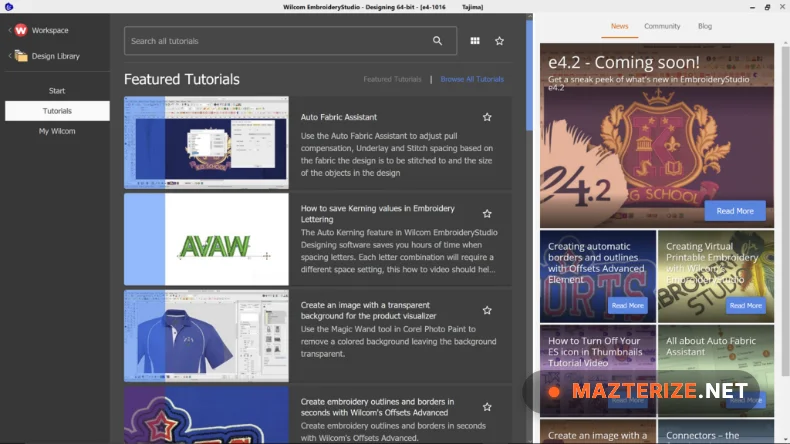
EmbroideryStudio e4.2 Final continues improving production efficiency with refined digitizing tools, expanded design editing capabilities, and compatibility updates for modern Windows systems. Users interested in similar creative applications may also explore Easy Cut Studio for vector-based production workflows.
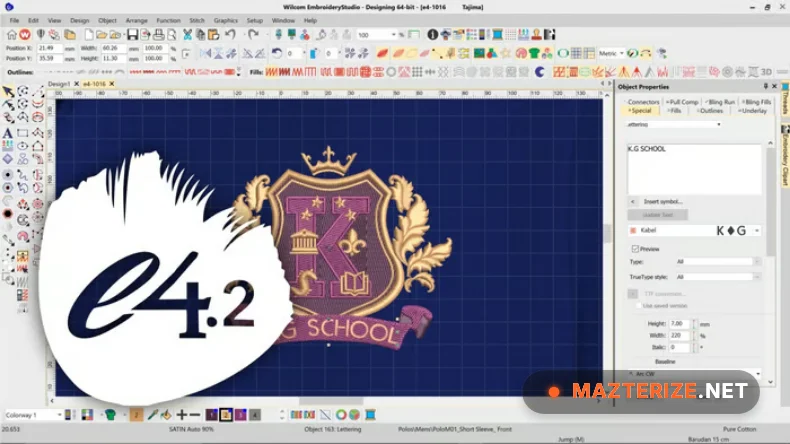
Key Features of Wilcom Embroidery Studio e4.2
- Surgical Digitizing Tools: Graphical tools that allow you to create complex shapes with automatic fills that adapt perfectly to fabric types.
- CorelDRAW Integration: Enables a seamless Graphics-to-Stitch workflow, converting vector paths into embroidery objects with one click.
- Lettering & Monogramming: Over 200 digitized embroidery fonts that provide superior results compared to standard conversions.
- HD Stitch Simulation: Preview your design’s stitch sequence in high definition to prevent costly errors on garments.
- Auto-Digitizing Engine: Processes bitmap images and logos into clean embroidery files, saving hours of manual labor.
- Multi-Decoration Support: Full support for sequins, chenille, and beading, making it a versatile tool for high-end fashion.
What’s New in Wilcom EmbroideryStudio e4.2 Final?
- Enhanced Auto-Digitizing
Improved automatic conversion of artwork into cleaner embroidery objects with better stitch generation. - Expanded Lettering Features
Additional embroidery font improvements and text editing refinements for personalized designs. - Improved Stitch Editing Workflow
More efficient tools for adjusting stitch properties and embroidery object settings. - Updated Machine Format Support
Compatibility improvements for newer embroidery machine formats and production workflows. - Performance & Stability Improvements
General bug fixes, improved responsiveness, and enhanced reliability during large embroidery projects.
ScreenShots
System Requirements Of Wilcom Embroidery Studio
- Operating System: Windows 10 or 11 (64-bit).
- Processor: Intel Core i5/i7 or AMD Ryzen 5/7 (2.5GHz or higher).
- RAM: 8 GB Minimum (16 GB recommended).
- Graphics Card: Dedicated GPU with 1 GB VRAM.
Why I Recommend Wilcom e4.2
I’ll be blunt: this software outperforms cheaper alternatives in raw stitch quality. As a primary tool in your Adobe Master Collection 2026 design pipeline, it bridges the gap between digital art and physical production. To ensure your workstation handles these heavy design files without lag, you should pair this with IObit Driver Booster Pro to keep your GPU and dongle drivers optimized for the 2026 kernel. Many users ask how to secure a stable install; I recommend running a final cleanup with Wise Care 365 Pro Full after the activation process. It truly stands out as the most reliable professional embroidery option for 2026.
Technical Details
- Software Name: Wilcom EmbroideryStudio e4.2
- Developer: Wilcom International
- License: Full_version
- Language: Multilingual
- OS: Windows 10, 11 (64-bit)
