

Process Lasso Pro is an advanced process priority optimizer software to improve your computer’s performance, stability, and responsiveness.Process Lasso Pro Full Version allows for automating various process related tasks. It offers a robust list of capabilities including default process priorities, termination of disallowed processes, logging of processes, keeps processes running with auto-restart, and so much more. With this software, you can improve your system performance and stability, can apply default priorities and also automatically terminate undesired processes that leading to hangs, lags, freezing, and more.
Process Lasso is a unique optimizer, designed to manage and edit how your computer’s processes and services run. It can set the priority of running processes, manage active applications, monitor RAM usage, and intelligently adjusts the priority of running programs. Process Lasso is more than just a task manager replacement software, but it features task manager like capabilities to complement its primary functions.
The application includes CPU affinity control, process automation rules, performance modes, idle optimization, watchdog monitoring, memory trimming, and real-time process management features. Users can reduce lag, stabilize performance during heavy workloads, and automate system optimization tasks for gaming, editing, and productivity workflows.
Version 18.1.0.44 improves process balancing efficiency, updates compatibility with newer Windows 11 builds, and fixes several automation rule issues reported in earlier releases. Background optimization runs more smoothly, CPU management responds faster under heavy system load, and resource monitoring remains more accurate during multitasking sessions. Users who already optimize systems using Auslogics BoostSpeed or monitor running applications with ProcessSpy can integrate Process Lasso naturally into the same performance management workflow.
Key Features of Process Lasso Pro 18.1.0.44
- Disallow certain programs from running
- Automating various process related tasks
- Advanced tweak and configuration options
- Consumes very few system resources
- Save process priorities for future instances
- Full control of processes and services
- ProBalance dynamic priority optimization
- Prevent processes from monopolizing the CPUs
- Improve your system responsiveness
- Log all programs run, and so much more.
What’s new in Process Lasso 18 ?
- ProBalance CPU Optimization
Automatically balance CPU usage for smoother multitasking performance. - Process Priority Management
Control process priorities and CPU affinity settings manually or automatically. - Real-Time System Monitoring
Track running applications and resource usage continuously. - Gaming and Performance Modes
Reduce interruptions and optimize resources during demanding workloads. - Automation Rule System
Create automatic rules for managing specific applications and tasks. - Memory and Idle Optimization
Improve responsiveness by optimizing idle system resources.
ScreenShots
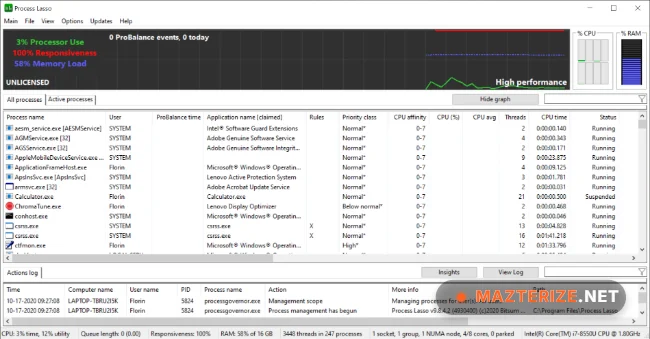
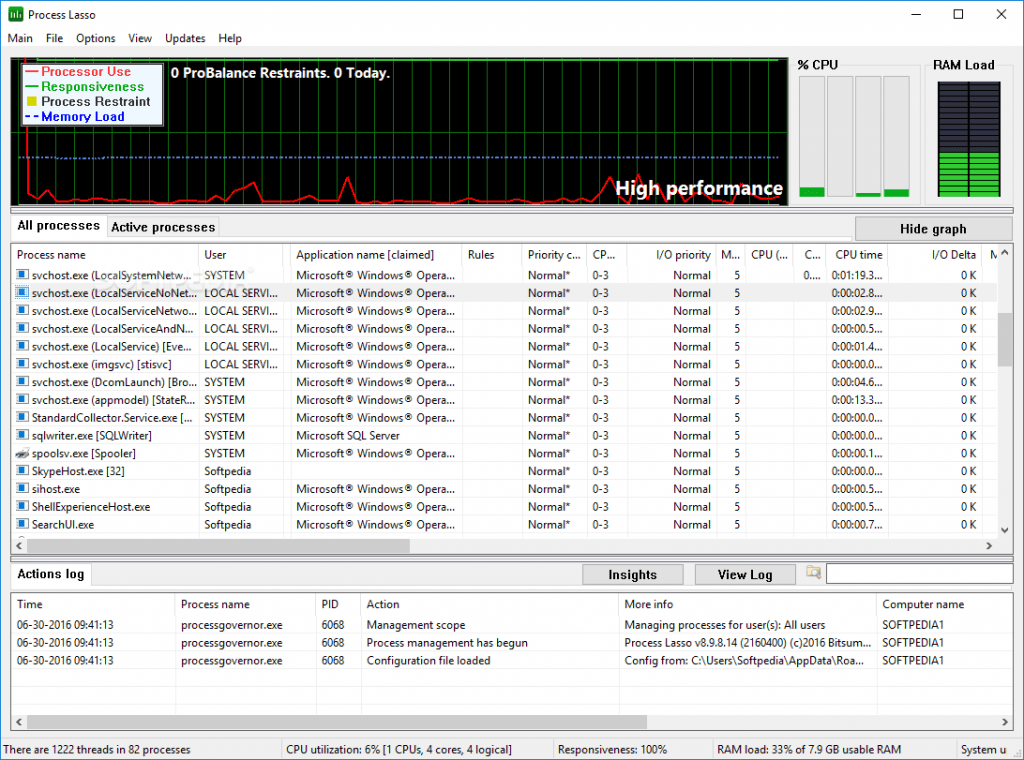
Minimum Requirements
- Windows XP/ Vista/ 7/ 8/ 8.1/ 10 or Server 2008/ 2012/ 2016 (32-bit or 64-bit – all editions)
- Computer with reasonable speed
- No special requirements
Why I Recommend
Process Lasso works well because it improves system responsiveness automatically without requiring constant manual CPU management.
The ProBalance optimization system is especially useful for gamers, editors, and multitasking users running heavy applications simultaneously.
The software also performs reliably during long workloads. Resource balancing stays stable, automation rules remain flexible, and background optimization helps maintain smoother performance.
Technical Details
- Software Name: Process Lasso Pro
- Version: 18.1.0.44
- Developer: Bitsum
- License Type: Full
- Supported OS: Windows
Download Information
Download | Size: 3.94 MB | Pass: Mazterize.net
