

PowerISO v9.4.0 is a professional disc image management and virtual drive software for Windows designed for creating, editing, mounting, extracting, compressing, and burning ISO files and other disc image formats. The software is widely used for handling bootable media, virtual drives, operating system images, and backup archives efficiently.
The application supports ISO, BIN, NRG, DAA, IMG, and additional disc image formats while providing virtual drive emulation, bootable USB creation, disc burning, archive compression, and file extraction tools. Users can mount virtual discs, create installation media, and manage optical image files without requiring physical discs.
Version 9.4.0 improves image mounting speed, updates Windows 11 compatibility, and fixes several bootable USB creation issues reported in earlier builds. Large ISO files process faster, virtual drive performance is smoother, and bootable media generation remains more stable during installation workflows. Users who already create portable systems using WinToUSB or manage recovery environments with WinPE Sergei Strelec can integrate PowerISO naturally into the same system management workflow.
Common Issues & Troubleshooting
- ISO File Not Mounting
Verify file integrity and reinstall virtual drive drivers if necessary. - Bootable USB Not Working
Check BIOS boot settings and recreate the USB using compatible partition formats. - Slow Disc Image Extraction
Use SSD storage and close unnecessary background applications during extraction.
Key Features of PowerISO v9.4.0
- Disc Image Management
Create, edit, compress, and extract ISO and disc image files. - Virtual Drive Emulation
Mount disc images as virtual drives without physical media. - Bootable USB Creation
Create bootable USB drives for Windows and recovery environments. - Disc Burning Tools
Burn ISO files and media projects directly to optical discs. - Multi-Format Support
Supports ISO, BIN, DAA, IMG, NRG, and additional image formats. - Archive Compression Features
Compress large image files for easier storage management.
ScreenShots
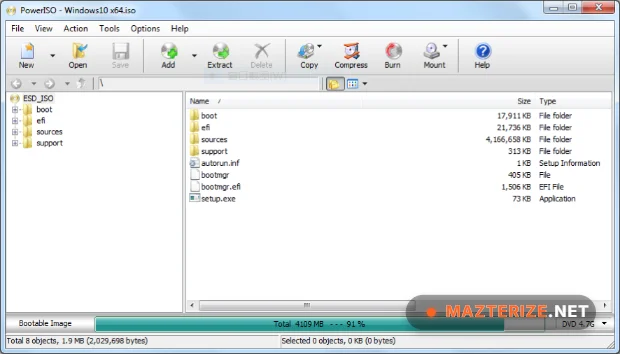
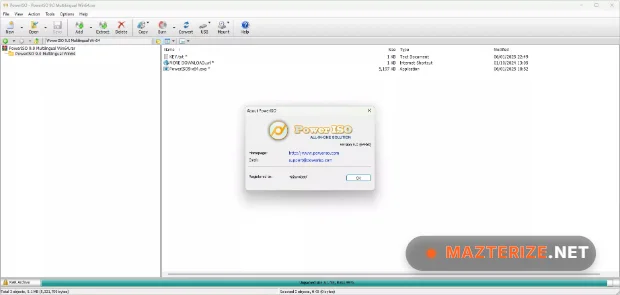
System Requirements
- Operating System: Windows 7 / Windows 10 / Windows 11
- Processor: Intel Core i3 or higher
- RAM: 2 GB minimum
- Storage: 300 MB free space
- Optical Drive: Optional for disc burning operations
Why I Recommend
PowerISO works well because it combines disc image management, virtual drive support, and bootable media creation tools inside one lightweight utility.
The virtual drive and bootable USB creation features are especially useful for users managing operating system installations and recovery environments regularly.
The software also performs reliably during large image operations. File extraction remains stable, virtual mounting is fast, and bootable media workflows stay organized.
Technical Details
- Software Name: PowerISO
- Version: 9.4.0
- Developer: Power Software Ltd.
- License Type: Full
- Supported OS: Windows
Download Information
Download | Size: 10.86 MB | Pass: Mazterize.net
