

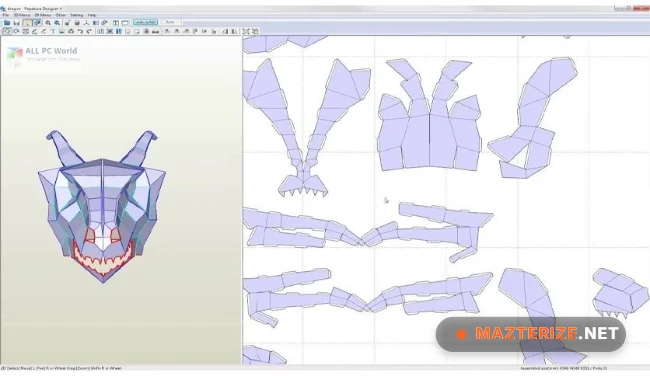
Pepakura Designer 6.1.8 is a professional paper craft and 3D model unfolding software for Windows designed for creating papercraft templates from 3D models. The software is widely used by hobbyists, cosplay creators, educators, designers, and model builders who need printable templates for assembling physical paper models.
The application allows users to import 3D models, unfold them into flat printable patterns, edit fold lines, adjust layouts, and export high-quality templates for printing. It supports detailed customization for building helmets, costumes, figures, architectural models, and educational projects using paper materials.
Version 6.1.8 improves unfolding accuracy, updates model import compatibility, and fixes several layout alignment issues reported in earlier releases. Large model processing is smoother, print previews load faster, and editing workflows remain more stable during complex template creation. Users who already create 3D assets using Autodesk Maya or optimize models with TopoGun can integrate Pepakura Designer naturally into the same creative workflow.
Common Issues & Troubleshooting
- Model Import Failed
Convert unsupported formats into compatible OBJ or 3DS files before importing. - Templates Overlapping During Printing
Adjust page scaling and reorganize unfolded parts manually. - Large Models Running Slowly
Reduce polygon counts before importing high-detail 3D assets.
Key Features of Pepakura Designer 6.1.8
- 3D Model Unfolding
Convert 3D models into printable papercraft templates. - Printable Layout Editing
Adjust page layouts, fold lines, and assembly markings. - Support for Multiple 3D Formats
Import OBJ, 3DS, STL, and other supported model formats. - Cosplay and Model Design Tools
Create helmets, armor, props, and custom paper models. - Print Preview System
Preview unfolded templates before printing projects. - Custom Scaling Options
Resize templates accurately for different project dimensions.
ScreenShots

System Requirements
- Operating System: Windows 10 / Windows 11
- Processor: Intel Core i3 or higher
- RAM: 4 GB minimum
- Storage: 500 MB free space
- Printer: Required for physical papercraft output
Why I Recommend
Pepakura Designer works well because it simplifies the process of converting complex 3D models into printable paper templates.
The unfolding system is especially useful for cosplay creators, educators, and hobbyists building detailed physical models from digital 3D assets.
The software also performs reliably during larger template projects. Layout editing stays organized, print preparation is efficient, and model scaling remains accurate for custom builds.
Technical Details
- Software Name: Pepakura Designer
- Version: 6.1.8
- Developer: Tama Software
- License Type: Full
- Supported OS: Windows
Download Information
Download | Size: 17.90 MB | Pass: Mazterize.net
