

MuseScore 4.7.0 is a music notation and scorewriting software for Windows designed for composers, musicians, teachers, students, arrangers, and music producers who need a professional environment for creating, editing, playing back, and printing sheet music. The software supports complete music notation workflows while remaining accessible enough for beginners and powerful enough for advanced composition projects.
Writing music digitally has become an important part of modern composition and education, but many notation tools are either expensive or unnecessarily complicated for everyday use. MuseScore solves this by providing a complete notation platform where users can compose scores, arrange instruments, edit notation visually, and listen to realistic playback during the writing process. It supports orchestral arrangements, solo instruments, piano compositions, educational worksheets, and professional score preparation. The drag-and-drop workflow and notation shortcuts help speed up composition without interrupting creativity.
Version 4.7.0 improves score editing performance and refines playback quality across larger projects. Rendering and navigation also feel smoother during complex arrangements with multiple instruments. Users already producing virtual instruments through Toontrack EZbass or processing music collections with Audials One Premium will likely find MuseScore useful for expanding composition and notation workflows. For musicians who want advanced notation tools without sacrificing usability, MuseScore remains one of the strongest options available.
Key Features of MuseScore 4.7.0
- Professional music notation
Create complete sheet music and arrangements using advanced notation tools. - Real-time playback engine
Preview compositions with integrated playback support. - Multi-instrument scoring
Write and arrange for solo instruments, bands, and orchestras. - Drag-and-drop editing
Edit notes and musical elements quickly through visual controls. - Import and export support
Work with MusicXML, MIDI, PDF, and additional formats. - Printing and publishing tools
Prepare scores for digital sharing and physical printing.
What’s new in MuseScore 4.7.0?
- Improved score editing responsiveness
- Enhanced playback engine performance
- Better handling of larger orchestral projects
- Updated MusicXML import and export support
- Improved notation rendering accuracy
- Enhanced audio playback stability
- Better navigation across long compositions
- Updated engraving and layout controls
- Improved plugin compatibility
- Enhanced instrument management tools
- Optimized project loading performance
- Other bug fixes and performance improvements.
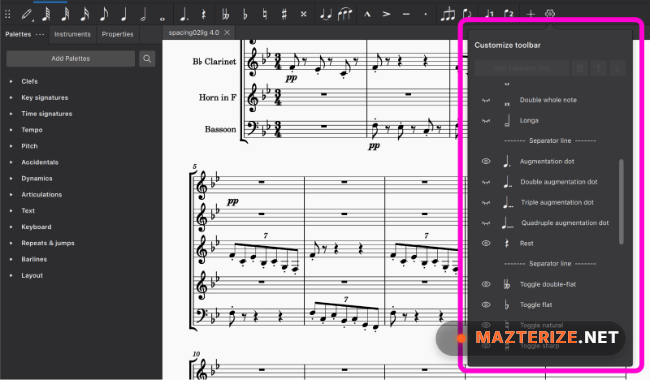
ScreenShots

System Requirements
- Operating System: Windows 10 / Windows 11 (64-bit)
- Processor: Intel Core i3 or higher
- RAM: 4 GB minimum (8 GB recommended)
- Storage: 1 GB free space
- Audio: Standard audio device required for playback
Why I Recommend
MuseScore is one of the easiest ways to start writing and arranging music without sacrificing professional notation features.The playback tools help composers hear ideas instantly, which speeds up experimentation and arrangement decisions.Its combination of notation, editing, exporting, and publishing tools makes it practical for both education and professional music workflows.
Technical Details
- Software Name: MuseScore
- Version: 4.7.0
- Developer: MuseScore BVBA
- License Type: Free
- Supported OS: Windows
Download Information
Download | Size: 121 MB | Pass: Mazterize.net
