

iA Writer 8.0.1 is a focused writing application designed for users who want a distraction-free environment for drafting, editing, and organizing text. It is commonly used by writers, bloggers, students, journalists, developers, and creators who prefer a cleaner writing workflow instead of feature-heavy document editors. The software focuses on helping users stay in the writing process rather than managing formatting and layout decisions too early. Users building a broader writing and publishing environment may also find Draftable Desktop useful when reviewing revisions and comparing document versions.
Unlike traditional office editors that place formatting controls at the center of the experience, iA Writer prioritizes content creation first. The interface stays intentionally minimal while supporting structured writing workflows that remain useful for long-form articles, notes, documentation, and publishing preparation. Many users adopt it because removing visual clutter often makes drafting faster and helps maintain concentration during longer sessions.
Version 8.0.1 continues refining the writing experience while maintaining compatibility across modern macOS environments. Users who regularly move between drafting, editing, and publishing workflows may also explore Adobe Bridge 2026 when managing larger creative content libraries.
Key Features of iA Writer 8.0.1 for MacOS
- Markdown-Based Writing
Write and format content using Markdown without relying on heavy formatting controls. - Focus Mode
Highlight the current sentence or paragraph to reduce visual distractions. - Syntax Highlighting for Writing
Visually distinguish nouns, verbs, adjectives, and other sentence structures while editing. - Content Library Management
Organize documents and switch between writing projects efficiently. - Live Preview Support
Preview formatted output while maintaining a text-first workflow. - Export Options
Export content into formats suitable for publishing and sharing. - Cross-Device Workflow
Support writing sessions across Apple environments.
What’s New in iA Writer 8.0.1?
Release notes for iA Writer 8.0.1 are not yet publicly detailed. This section will be updated when official change information becomes available.
ScreenShots

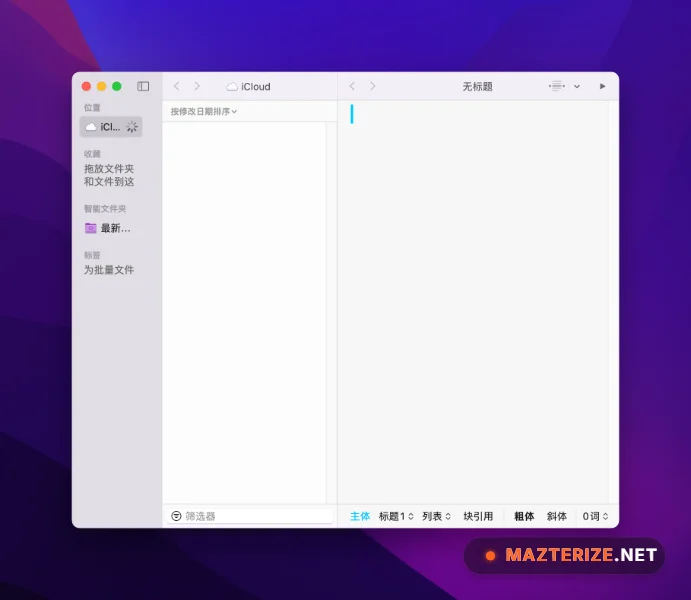
System Requirements
- Operating System: macOS 13 or later
- Processor: Apple Silicon / Intel Mac
- RAM: 4 GB minimum
- Storage: 500 MB free space
- Extra: Internet connection optional for sync workflows
Why I Recommend
iA Writer stands out because it solves a problem many writing tools accidentally create: too much attention on formatting and not enough on writing. Traditional editors often encourage users to constantly switch between styling, layout adjustments, and content creation, which interrupts momentum. iA Writer takes the opposite approach by stripping most of that away and making the page itself the priority.
I also like that the software works well for different types of writing without trying to become a full office suite. It feels especially practical for drafting blog posts, preparing documentation, outlining ideas, writing long articles, and maintaining personal writing systems. Features such as Markdown support and focus tools make more sense once documents become longer and editing sessions start stretching across multiple hours.
At the same time, this is not necessarily the best choice for users who depend heavily on advanced page layouts, spreadsheet-style features, or collaborative enterprise editing. Its strength is concentration and clean drafting rather than document design. For users who want a dedicated writing space with fewer distractions and a faster drafting workflow, iA Writer remains a strong option. Users interested in similar software can browse the complete collection of Office tools.
You May Also Like
Technical Details
- Software Name: iA Writer
- Version: 8.0.1
- Developer: Information Architects
- License Type: Premium
- Supported OS: macOS
Download Information
Download | Size: 26.30 MB | Pass: Mazterize.net
