
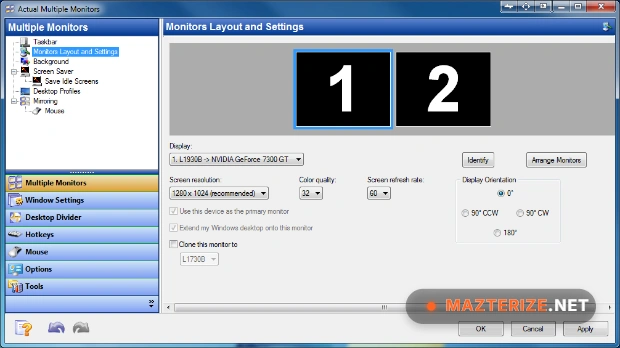
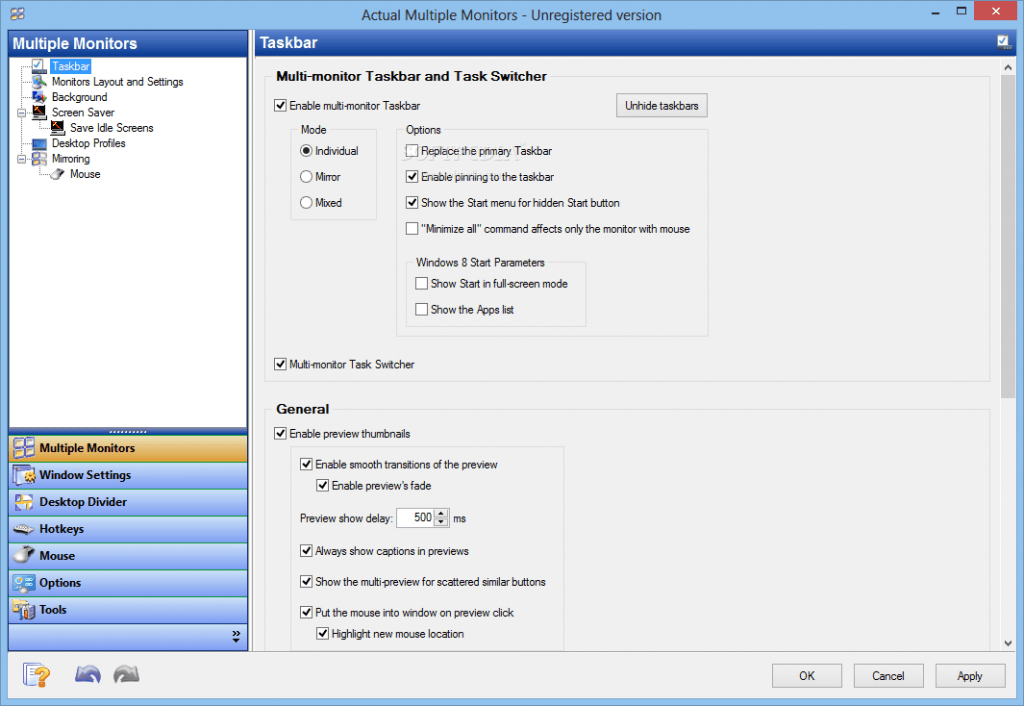
Actual Multiple Monitors is a powerful multi-monitor software that allows you to manage your multi-monitor setups and configurations. Actual Multiple Monitors offers a comprehensive solution for multi-monitor setup and configuration. With this tool, you can customize almost every component of the interface including Taskbar, Monitor Layouts, Background and Screen Saver, and more. You can get the most out of your multi-monitor environment, and also allow you to work with multiple full-screen programs simultaneously.
As we know, multi-monitors greatly increase your productivity in work, expand your screen real estate, and give you lots of extra space to spread your work. It provides you with a comprehensive set of tools to improve the functionality of Windows user interface for comfortable and effective works. By default, Windows has been designed to be used on multiple monitors but is not effective, looks monotonous, and you also completely miss some of the Windows features.
Version 8.15.3 improves compatibility with Windows 11 updates, updates taskbar synchronization performance, and fixes several monitor detection issues reported in earlier releases. Window snapping and desktop transitions are smoother during high-resolution multi-display sessions, and profile loading is more reliable after system restarts. Users who already manage desktop layouts using WindowManager or monitor hardware conditions with CPUID HWMonitor can integrate Actual Multiple Monitors naturally into the same productivity setup.
Key Features Of Actual Multiple Monitors 8.15.3
- Manage windows in your usual manner
- Displays all running tasks on all monitors
- Create desktop profiles and properties
- Switch between apps without disturbing
- Emulates standard Windows services
- Window snapping, dividing and mirroring
- Powerful and comprehensive solution
- Individual background on each monitor
- Span the application across all screens
- Start button more quickly and easily
- Work with multi-monitor configurations
- And so much more.
What’s New in Actual Multiple Monitors 8.15.3 ?
- Advanced Window Management
Move, snap, and organize windows across multiple screens easily. - Custom Wallpaper Support
Apply different wallpapers and backgrounds to each monitor. - Display Profiles
Save and restore custom monitor configurations instantly. - Desktop Navigation Tools
Improve cursor movement and navigation between displays. - Windows 11 Compatibility
Optimized for modern Windows multi-display environments.
Screenshots
Minimum Requirements
- Windows 2000/ XP/ Vista/ 7/ 8/ 8.1/ 10 or Server 2003/ 2008/ 2012/ 2016 (32-bit or 64-bit – all editions)
- 600 MHz processor
- 128 MB RAM (Memory)
- 64 MB VRAM
- 800 x 600 display
- 10 MB free disk space
Why I Recommend
Actual Multiple Monitors works well because it fills many of the limitations found in the default Windows multi-monitor setup. Navigation and task management become much more practical on larger workspaces.
The additional taskbars and window controls are especially useful for productivity-focused users who regularly work with multiple applications across several displays.
The software also remains lightweight during daily use. Display profiles load quickly, desktop transitions stay smooth, and monitor management feels more consistent across different hardware setups.
Technical Details
- Software Name: Actual Multiple Monitors
- Version: 8.15.3
- Developer: Actual Tools
- License Type: Full
- Supported OS: Windows
Download Information
Download | Size: 11.82 MB | Pass: Mazterize.net
