

Camo Studio is a versatile software solution that transforms your iPhone or Android device into a professional-grade webcam for your computer. Whether you’re live streaming, video conferencing, or recording content, Camo Studio delivers sharp, high-resolution video quality that far surpasses most built-in laptop webcams.
Compatible with Windows and macOS, this tool seamlessly integrates with popular platforms like Zoom, Microsoft Teams, OBS Studio, Google Meet, and Skype, making it ideal for professionals, creators, and remote workers who need superior video quality without investing in expensive external webcams.
The standout additions in the 2026 updates include the Retouch effect and specialized extensions for the Razer Kiyo V2 line. These updates provide surgical precision when enhancing your digital appearance or managing high-dynamic range (HDR) lighting, much like the advanced visual controls found in Adobe Media Encoder. Furthermore, the enhanced auto-framing engine and “Copilot+ PC” AI capabilities significantly boost efficiency by keeping you perfectly centered and lit, even in challenging home office environments.
If you are looking for a Camo Studio for Windows Free Download, the official version offers a robust “Freemium” model where core functionality is available without watermarks or time limits. The approximately 490 MB installer is remarkably lightweight for its feature set and fully optimized for Windows 11 and 10. It ensures that virtual background effects and cinematic color grading integrate flawlessly with over 40 apps like Zoom and OBS, making it a robust utility for quick deployment on any professional system requiring elite video control.
Key Functions of Camo Studio
- RETOUCH EFFECT: High-end digital makeup and skin-smoothing filters. Surgically ensures a professional look regardless of lighting conditions.
- AUTO-FRAMING & ZOOM: AI-driven tracking that keeps you in the center of the frame. Eliminates the friction of manually adjusting your phone’s position during a presentation.
- LUT & FILTER SUPPORT: Apply cinematic color grading with custom .Cube and .3DL files. Provides an elite level of visual branding for your personal video streams.
- RAZER KIYO V2 EXTENSIONS: Specialized support for Razer’s latest hardware. Removes the friction of managing external webcam settings via separate manufacturer apps.
ScreenShots
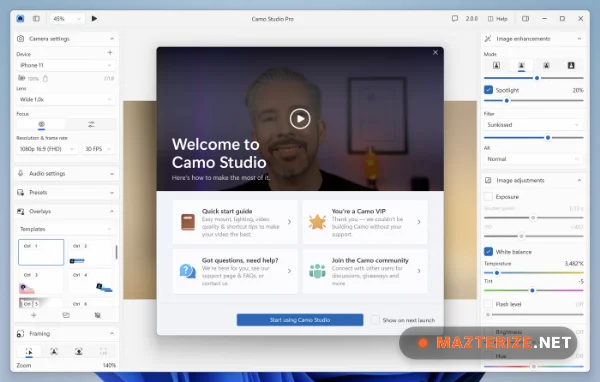
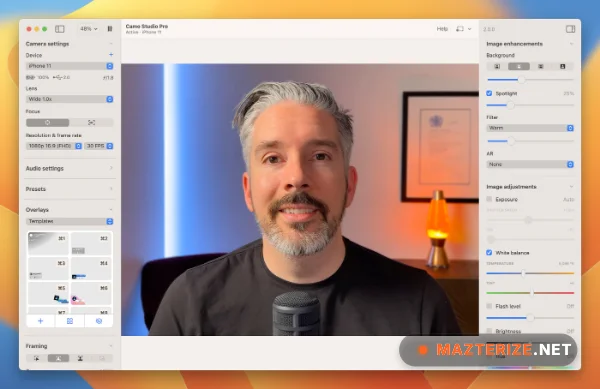
Official System Requirements for Windows (v2.6.1)
- Operating System: Windows 7 or later
- Processor: Intel Core i3 or equivalent
- Memory (RAM): 4GB or more
- Camera Connection: USB 3.0 or later
- Supported Cameras: Smartphones, webcams, DSLRs, action cams, built-in cameras, Continuity Camera
Why I Recommend Camo Studio
I recommend Camo Studio because it is the only webcam software that genuinely offloads processing to the mobile device, keeping your Windows PC cool and fast. It’s more consistent than built-in Windows effects because it uses the native camera firmware of your mobile phone. The new Retouch engine is the best “quality of life” improvement I’ve seen this year for early-morning meetings. While the Pro version requires a subscription for 4K access, for a professional who needs surgical accuracy and the highest possible video quality without buying a DSLR, it’s a vital tool that makes your digital presence feel significantly more professional.
Technical Details of Camo Studio for Windows
- Software Name: Camo Studio
- Version: 2.6.1.20759 (2026 Stable Build)
- Developer: Reincubate Ltd.
- License: Professional Review (Freemium / In-App Purchases)
- OS: Windows (x64)
Download | Size:488 MB | Pass: Mazterize.net
