

ASIO4ALL is a free universal audio driver for Windows that allows users to achieve low-latency audio performance without the need for expensive professional sound cards. It acts as a bridge between your audio software and the hardware, helping musicians, podcasters, and producers get stable and clear sound output. ASIO4ALL is widely used in digital audio workstations (DAWs) such as FL Studio, Ableton Live, Cubase, and other music production software.
The standout additions in version 2.16 include a critical workaround for Intel SST USB wrappers and expanded support for on-board audio on Gemini Lake Refresh chipsets. These updates provide surgical precision when mapping audio inputs and outputs, much like the detailed channel routing found in Virtual DJ 2026. Furthermore, the fix for sample rates becoming “stuck” at 8kHz after switching devices significantly boosts efficiency for professionals managing complex multi-device recording setups.
This lightweight driver is designed for users who have standard built-in sound cards but still want professional-quality performance. By bypassing the Windows audio layers, ASIO4ALL reduces latency and improves real-time recording, playback, and monitoring. Whether you are mixing, recording instruments, or simply looking for better audio response, ASIO4ALL provides an easy solution.
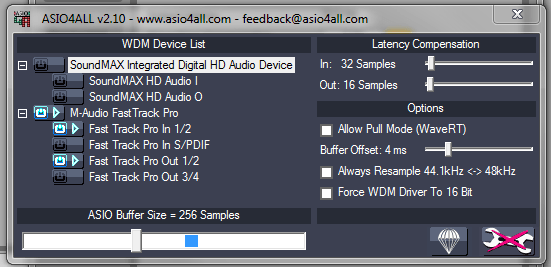
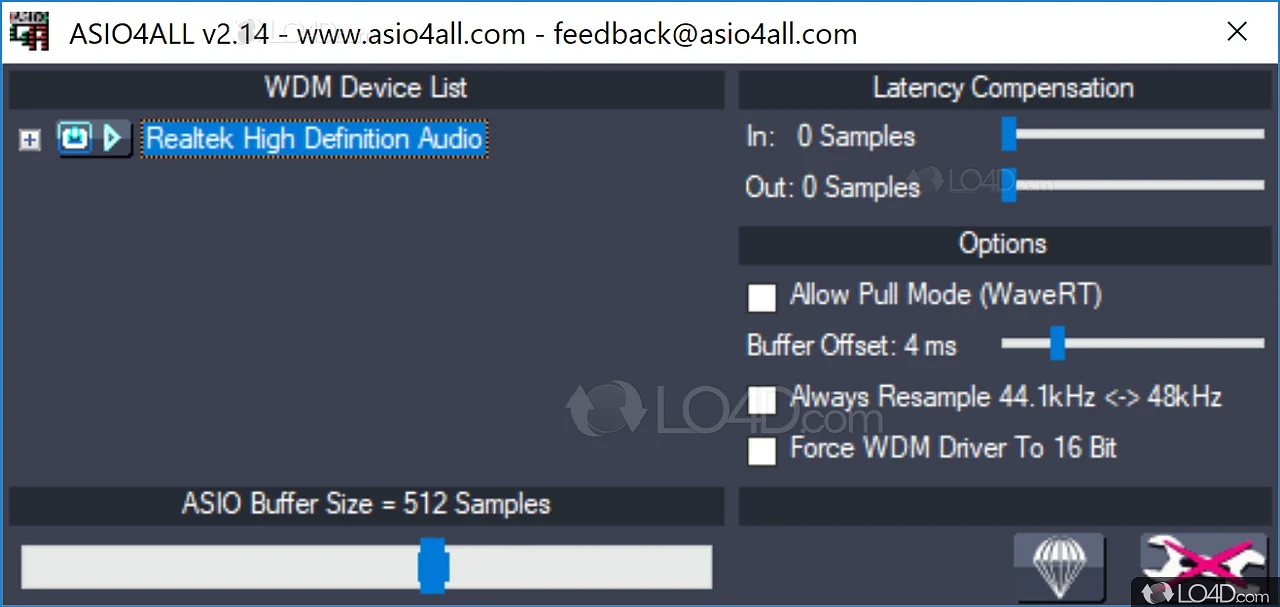
ASIO4ALL has gained popularity because it is simple to install, highly compatible, and does not require specialized hardware. Its user-friendly control panel allows both beginners and advanced users to tweak buffer sizes, adjust latency, and select input/output channels according to their workflow. This makes it one of the most downloaded audio drivers worldwide for Windows users.
Common Issues & Troubleshooting
- “Beyond Logic” Errors on Laptops: This often occurs on newer Lenovo Legion and Dell workstations where the system rejected the creation of audio pins. Fix: Version 2.16 includes a surgical WaveRT code path update. If you encounter this, try enabling “Alternative Buffer Synchronization” in the advanced settings to bypass strict firmware blocks.
- Exclusive Mode Conflicts: Windows system sounds (like YouTube or Spotify) can “hog” the driver. Tip: Surgically uncheck “Allow applications to take exclusive control” in the Windows Sound Control Panel for your device. This allows ASIO4ALL to operate alongside your DAW without audio dropouts.
- Stuttering with 16-bit USB Devices: Older 16-bit USB interfaces could crash the 32-bit driver. Fix: Ensure you are using the v2.16 stable build, which includes a surgical fix for vendor string identification that previously caused HID driver hangs.
Key Features of ASIO4ALL
- Universal ASIO driver compatible with most Windows audio devices
- Provides ultra-low latency for real-time recording and monitoring
- Works with popular DAWs like FL Studio, Ableton Live, Cubase, Pro Tools, and Reaper
- Simple installation and lightweight design with no extra hardware required
- Adjustable buffer size and latency settings for stable audio performance
- Multi-device support to combine different audio interfaces
- User-friendly control panel for advanced configuration
- Free to use, regularly updated, and highly reliable for music production.
Screenshots:
You can also download
System Requirements for ASIO4ALL
- Operating System: Windows 10, Windows 8, Windows 7, Vista, XP (32-bit or 64-bit)
- Processor: Intel or AMD CPU with at least 1 GHz speed
- RAM: Minimum 512 MB (1 GB or more recommended for DAWs)
- Sound Device: Onboard sound card or external audio interface
- Disk Space: Few MBs required for installation (very lightweight)
- Compatible Software: Digital Audio Workstations (DAWs), audio editors, and media players
Why I Recommend ASIO4ALL 2.16
I recommend v2.16 because it is the “Gold Standard” of stable audio wrappers. While newer 2.17/2.18 betas are testing clock-drift correction, v2.16 is more consistent for production-critical environments where you cannot afford a driver crash. The Intel SST workaround is the best “quality of life” improvement for mobile producers using 2026-era laptops. While it requires a basic understanding of buffer sizes (256–512 samples being the sweet spot), for a professional who needs surgical speed and zero-latency monitoring on a budget, it’s a vital tool that makes your home studio feel significantly more professional.
Technical Details of ASIO4ALL 2.16
- Software Name: ASIO4ALL
- Version: 2.16 (2024/2026 Final Stable)
- Developer: Michael Tippach
- License: Professional Review (Freeware)
- OS: Windows (x64), Windows (x86)
Download | Size:334.59 KB | Pass:Mazterize.net
