

IObit Driver Booster Pro is a powerful driver updater program that lets you install and update outdated, missing, and faulty drivers in a single click.IObit Driver Booster is here to help you avoid such problems, it is designed to automatically figure out the missing or outdated drivers, download and install the most appropriate drivers for your computer. Driver Booster provides an easier way to tweak the drivers for the best gaming experience.Users who want to monitor their hardware after updating drivers may also find HWiNFO useful for checking temperatures, voltages, and hardware health.
One reason Driver Booster remains popular is its extensive driver database and simple workflow. After scanning the system, it categorizes outdated drivers, highlights components with compatibility issues, and allows users to install updates with minimal effort. The software also creates restore points before making changes, providing an additional safety layer if a newly installed driver causes unexpected issues. Users who prefer another driver management solution can also explore SysTweak Advanced Driver for hardware detection and driver maintenance.
Version 13.5.0.359 expands support for newer Intel, AMD, and NVIDIA hardware while refining the scanning engine, improving installation reliability, and optimizing driver downloads for current Windows 10 and Windows 11 systems.
Key Features of IObit Driver Booster Pro 13.5.0.359
- Automatic Driver Scanning
Detect outdated, missing, corrupted, or incompatible drivers across supported hardware devices. - Large Driver Database
Supports millions of drivers for graphics cards, sound devices, Wi-Fi adapters, printers, USB devices, Bluetooth, storage controllers, and more. - One-Click Driver Updates
Download and install multiple driver updates simultaneously with a single operation. - Game Ready Driver Updates
Quickly install the latest graphics drivers for NVIDIA, AMD, and Intel GPUs to improve compatibility with new game releases. - Driver Backup & Restore
Back up existing drivers before updating and restore previous versions if compatibility issues occur. - Offline Driver Updater
Install drivers on computers with limited or unavailable internet access using exported driver packages. - Automatic Restore Point Creation
Creates a Windows restore point before updating drivers to simplify system recovery if needed. - Silent Background Updates
Download and install supported driver updates automatically without interrupting your work.
What’s New in IObit Driver Booster Pro 13.5.0.359?
- Expanded driver database with additional support for recently released Intel, AMD, NVIDIA, and Realtek hardware.
- Improved scanning engine for faster identification of outdated and missing drivers.
- Enhanced installation stability to reduce failures during driver deployment.
- Optimized download performance for faster driver retrieval.
- Minor interface refinements, bug fixes, and compatibility improvements for the latest Windows updates.
Screenshots
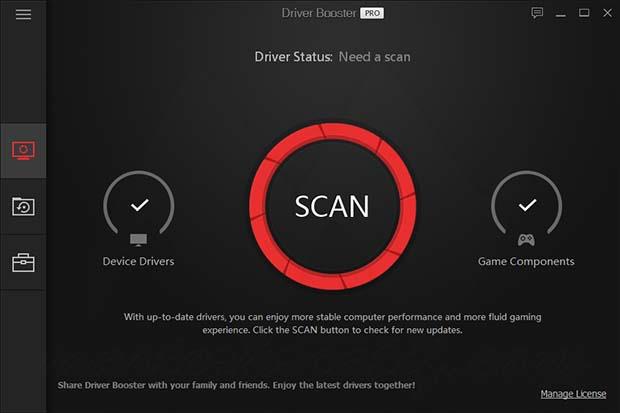
Minimum Requirements:
- Windows XP/ Vista/ 7/ 8/ 8.1/ 10 (32-bit or 64-bit – all editions)
- 1 GHz processor
- 512 MB RAM
- 65 MB disk space
- 1024 x 768 display
Why I Recommend
Keeping drivers updated can solve a surprising number of everyday PC problems, from unstable Wi-Fi connections and distorted audio to poor gaming performance and hardware detection issues. The challenge is that Windows Device Manager doesn’t always install the latest manufacturer drivers, and searching individual vendor websites can become time-consuming, especially on systems with many different hardware components. Driver Booster simplifies that process by identifying outdated drivers automatically and presenting them in a single interface.
Another feature I appreciate is the way the software handles safety. Before installing new drivers, it creates a Windows restore point and allows driver backups, making it easier to return to a previous version if a hardware manufacturer releases an update with compatibility issues. This is particularly valuable for graphics drivers, where newer releases occasionally introduce unexpected bugs with specific games or applications. The software also prioritizes WHQL-certified drivers whenever available, helping reduce the risk of installing unstable versions.
While Windows Update is sufficient for many basic systems, dedicated driver utilities are often more comprehensive when maintaining gaming PCs, workstations, or computers with specialized hardware. Driver Booster isn’t something you’ll necessarily use every day, but it’s a practical tool to keep installed for periodic maintenance, especially after reinstalling Windows or upgrading hardware. Users looking for similar utilities can browse the complete collection of drivers & hardware.
You May Also Like
Technical Details
- Software Name: IObit Driver Booster Pro
- Version: 13.5.0.359
- Developer: IObit
- License Type: Premium
- Supported OS: Windows
Download Information
Download | Size: 36.92 MB | Pass: Mazterize.net
