

4K YouTube to MP3 is a simple yet powerful desktop application designed to extract high-quality audio from YouTube videos and save it in MP3, M4A, or OGG formats. Created by 4K Download, this tool is ideal for music lovers, podcast listeners, or anyone who wants to save audio from videos for offline use.The application focuses on simplifying audio saving and conversion workflows while keeping the interface lightweight and easy to use. Users managing broader media workflows may also find Social Media Downloader 8.5.5 useful when organizing content across multiple platforms.
Unlike browser-based converters, 4K YouTube to MP3 ensures faster processing, better sound quality, and no intrusive ads. Just copy the link, paste it into the app, and your audio will be ready in seconds no fuss, no waiting.
Version 5.7.0 continues refining download and conversion workflows while maintaining compatibility across supported environments. Users working with broader media conversion workflows may also explore Permute when handling additional format conversion tasks.
Key Features of 4K YouTube to MP3
- High-Quality MP3 Extraction
Download audio from YouTube, Vimeo, Facebook, SoundCloud, and more in MP3, M4A, or OGG format. - One-Click Download
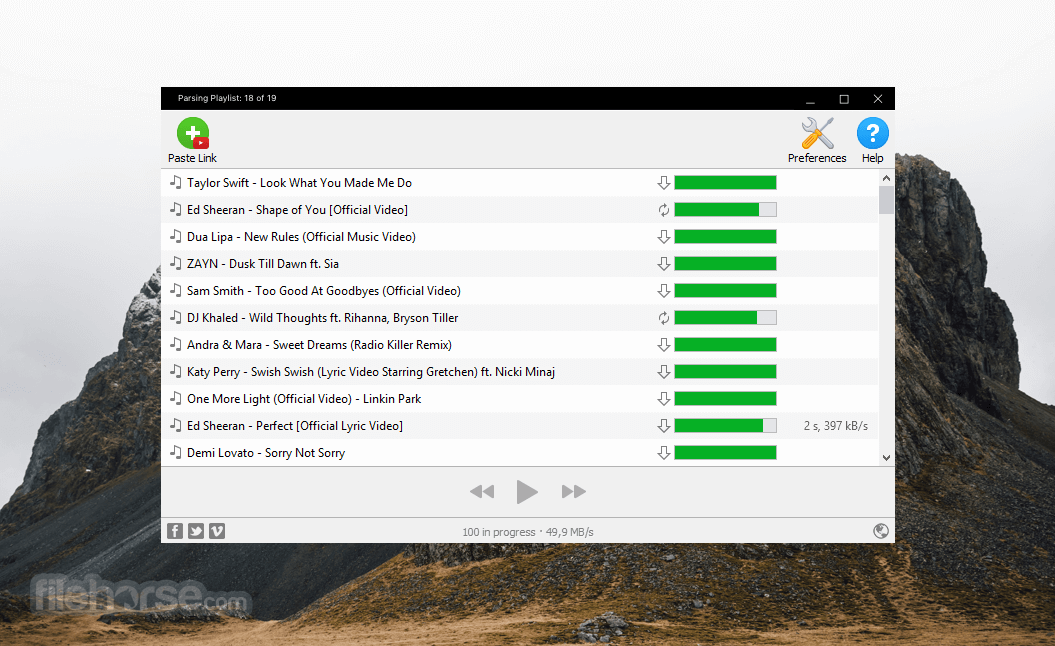
Just copy a video URL and the app automatically detects and converts the audio. - Batch Download Support
Extract audio from entire YouTube playlists, channels, or multiple links at once. - Smart Mode
Set your preferred format and quality once, and the app will apply it automatically to every download. - ID3 Tag Support
Automatically includes artist name, track title, and other metadata in downloaded files. - Built-In Music Player
Play downloaded tracks directly from the app without needing a separate player. - Lightweight & Fast
Minimal system resource usage while maintaining fast conversion speeds. - No Ads or Malware
Clean, ad-free experience with no bundled software or pop-ups. - Cross-Platform Support
Available for Windows, macOS, and Ubuntu Linux.
4K YouTube to MP3 is the go-to tool for converting YouTube and other video platforms to high-quality audio files. Whether you’re archiving music, listening to educational content offline, or extracting audio from lectures and interviews, this app delivers fast, clean, and reliable results— every time.
ScreenShots

System Requirements
- Operating System: Windows 10 / Windows 11
- Processor: Intel Core i3 or equivalent
- RAM: 4 GB minimum
- Storage: 500 MB free space
- Extra: Internet connection required for media processing
Why I Recommend
4K YouTube to MP3 works well for users who consume long-form content where video itself is not necessary. Podcasts, interviews, educational material, conference sessions, and background listening often do not require storing full-resolution video files. Extracting only audio reduces storage usage and makes offline listening more practical.
I also like that this type of application stays focused instead of turning into a large media management suite. The workflow is straightforward—add supported content, process it, and organize playback locally. Features such as playlist handling become more useful once users start collecting larger listening libraries.
That said, users who want complete video archiving or editing workflows may prefer broader download and conversion tools. Its strongest use case is building a lightweight offline audio workflow for personal listening and media organization. Users interested in similar software can browse the complete collection of download managers.
You May Also Like
Technical Details
- Software Name: 4K YouTube to MP3
- Version: 5.7.0
- Developer: Open Media LLC
- License Type: Free / Premium
- Supported OS: Windows
Download Information
Download | Size: 102.76 MB | Pass: Mazterize.net
