
Features of WYSIWYG Web Builder 21.0.0
- TEXT-TO-WEBSITE AI WIZARD: Generate complete website structures, layouts, and content using natural language prompts powered by OpenAI, Gemini, or local Ollama.
- EASY BREAKPOINTS SYSTEM: Make individual objects responsive without page-wide breakpoints, allowing surgical control over mobile-friendly typography and visibility.
- AI IMAGE GENERATION & EDITING: Local support for ComfyUI and Flux enables unlimited AI image variations, in-painting, and expansion directly in the editor.
- ORGANIC MESH GRADIENTS: Create soft, colorful backgrounds where multiple colors melt together for a modern, high-end hero section aesthetic.
- BUILT-IN IMAGE CONVERTER: New wizard to surgically convert project images to WebP or JPG while applying compression to boost SEO and performance.
- GLASSMORPHISM & FILTERS: Standalone settings for backdrop blur and transparency allow for instant, real-time rendering of sleek “frosted glass” effects.
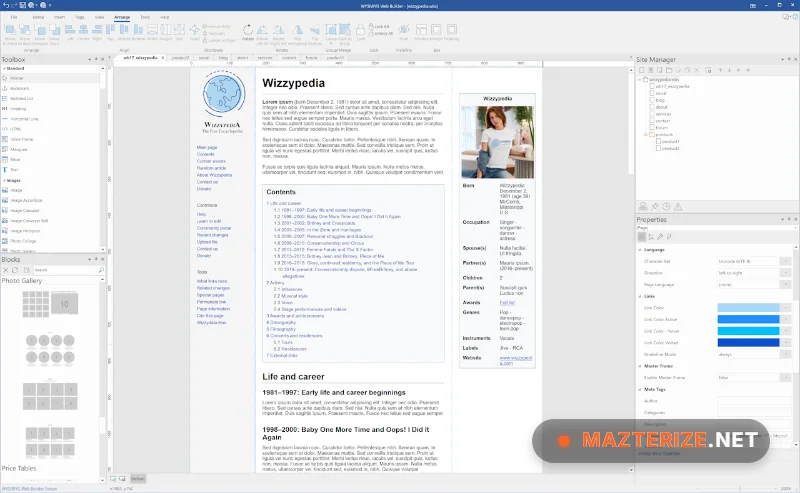
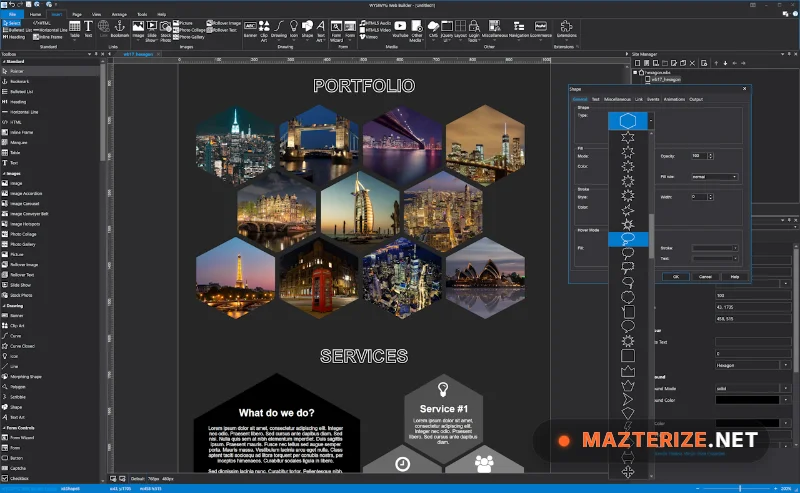
ScreenShots
System Requirements for Windows
- Operating System: Windows 7, 8, 10, or 11 (64-bit recommended).
- Processor: Intel Pentium 4 or higher (Multicore recommended).
- RAM: 2 GB Minimum (8 GB recommended for local AI features).
- Hard Disk Space: 50 MB for core installation.
- Graphics: DirectX 11 or higher compatible card.
Why I Recommend WYSIWYG Web Builder 21.0.0
I’ll be blunt: in 2026, manually coding a static website from scratch is a waste of your professional time. I recommend this software because it successfully bridges the gap between a “simple” builder and a high-end development IDE. By using the 21.0 release, you gain access to the “Visibility” monitor, which is essentially a “trigger engine” for your site—allowing you to start animations or toggle elements exactly when a user scrolls them into view. Read our review of Uninstall Tool to learn more about keeping your system light after running heavy design suites. It stands out as the most flexible and AI-integrated desktop web editor available today.
Learn more about Capture One Pro Enterprise features in our guide.
Technical Details
- Software Name: WYSIWYG Web Builder
- Version: 21.0.0
- Developer: Pablo Software Solutions
- License: full_version
- Language: Multilingual
- OS: Windows