

IcoFX is a powerful, professional icon editor and cursor editor that comes with a lot of features and tools to create impressive icon and cursor designs. This program provides you an all-in-one solution for icon creation, editing, and extraction. It allows you to create icons, cursors, and images both for Windows and Macintosh with transparency. It can create designs with resolution up to 1024 × 1024 with PNG compression, convert existing images to icons and cursors, convert Macintosh icons to Windows icons and vice versa, extract icons from executable applications, and libraries, and more.
The main window of the application is highly intuitive and it makes it easy for you to choose the type of project you want to create: a Windows or a Mac icon, a cursor, a toolbar image strip, an icon library, or an image. You can also extract an icon, a cursor, or a mobile icon from a chosen image.
Version 3.9.0 focuses on stability improvements and a smoother editing experience when handling multiple icon resources. Users already working with CorelDRAW Graphics Suite 2025 or creating assets inside Aseprite will likely find IcoFX useful for preparing final icon sets and interface graphics. The release also improves image import behavior, refines editing responsiveness, and makes exporting cleaner across different icon sizes.
Key Features of IcoFX 3.9.0
- Preview the results in a small frame (real-time)
- Wide range of customization tools and features
- Adjust the colors levels and pick different layers
- Professional and intuitive design interface (UI)
- Very responsive to keystrokes and mouse events
- Supports standard graphic editing functions
- Create cursor hotspot and animation frame rate
- Supports JPG, BMP, ICO, XPM, GIF, EXE, and DLL
- Build icons, cursors, and images in batch mode
- Multiple image effects and advanced adjustments
- And so much more.
What’s New In IcoFX 3.9?
- Improved icon rendering performance
- Updated image import handling
- Better compatibility with newer Windows builds
- Refined export processing
- Improved responsiveness during editing
- Stability improvements across larger projects
- Updated cursor editing behavior
- Minor bug fixes and performance improvements
ScreenShots
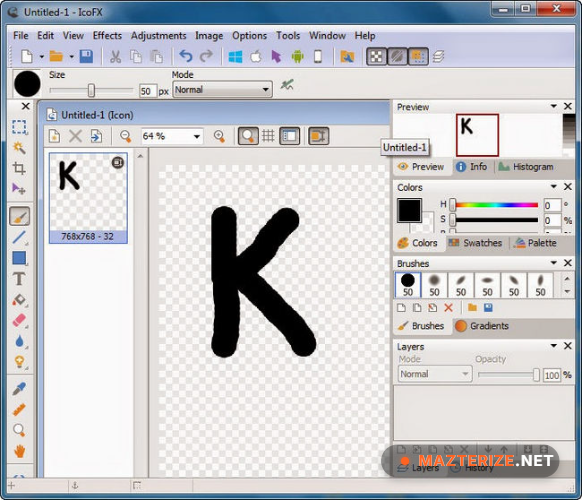
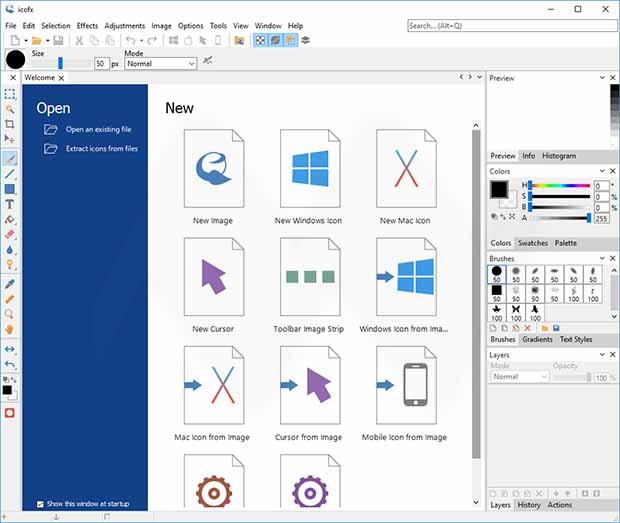
Minimum Requirements
- Operating System: Windows 7 / 8 / 10 / 11
- Processor: Intel Dual Core or higher
- RAM: 2 GB minimum
- Storage: 300 MB free space
- Extra: Mouse and display with 1280×720 resolution recommended
Why I Recommend
IcoFX is one of those utilities that stays focused. Open it, create icons, export, move on.The editing tools feel familiar if you already use graphic software and the extraction tools save time when working with application resources.It works especially well for UI designers, developers, icon pack creators, and users customizing Windows environments.
Technical Details
- Software Name: IcoFX
- Version: 3.9.0
- Developer: IcoFX Software
- License Type: Full
- Supported OS: Windows
Download Information
Download | Size: 58 MB | Pass: Mazterize.net
Portable
Download | Size: 110 MB | Pass: Mazterize.net
