

Active Boot Disk 26.0.1 is a set of powerful utilities to perform data recovery, fix system errors, and data imaging using a bootable CD/DVD or USB flash media.It includes many tools to repair unbootable computers, update computer configuration, system management problems, and fix most startup problems. It helps you to boot up a computer that previously unbootable and bypass the operating system you are using.
The software combines multiple maintenance and recovery functions into a single environment. Users can work with partitions, inspect drives, perform diagnostics, access files, manage backups, and troubleshoot startup issues without relying on the installed operating system. This makes the toolkit useful when systems become inaccessible or require maintenance before loading Windows. Users who regularly maintain recovery workflows may also use Disk Drill Enterprise to manage file restoration and improve data recovery workflows after system-level repair tasks.
Version 26.0.1 improves boot environment responsiveness and enhances compatibility with modern hardware configurations. Users creating a more complete maintenance workflow may also combine recovery preparation with MiniTool Partition Wizard 2026 for storage organization and partition management tasks. This release focuses on smoother startup handling, improved device recognition, updated recovery tools, and better performance when working across multiple system environments.
Key Features Of Active Boot Disk
- Great ability to backup and restore data
- Administrator password resetting Utility
- S.M.A.R.T control and disk monitoring util
- Disk erasing and wiping of free disk space
- Multimedia player and document viewer
- Network configuration and network access
- Recover deleted, damaged, or formatted files
- Start from a CD, DVD, or USB flash drive
- Dual-boot functionality (DOS & Windows)
Full access (boot up) to unbootable computer - Supports all types of a disk (HDD, SSD, USB, etc.)
- Data CD/DVD/Blu-ray burning utility, and more.
What’s New In Active Boot Disk 26.0.1 ?
- Improved boot environment responsiveness
- Updated hardware compatibility
- Enhanced startup handling
- Refined recovery workflows
- Improved storage detection
- Updated maintenance utilities
- Better system access behavior
- Enhanced recovery reliability
- Optimized performance improvements
- Improved partition handling
- Updated diagnostic support
- Other bug fixes and performance improvements.
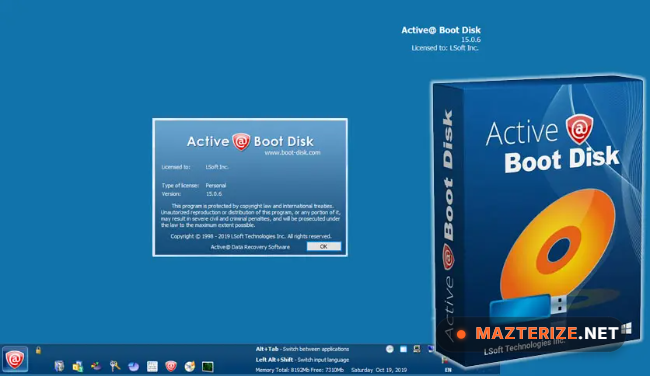
ScreenShots
Minimum Requirements
- Operating System: Windows 7 / 8 / 10 / 11
- Processor: Intel Dual-Core or higher
- RAM: 4 GB minimum
- Storage: 1 GB free space
- Extra: USB drive or bootable media required
Why I Recommend
Active Boot Disk is useful because it gives users access to troubleshooting and recovery tools before Windows starts. That can make system repair much easier when normal access is unavailable.
I also like that the toolkit combines recovery, diagnostics, and maintenance utilities instead of requiring several separate tools. Users looking for more system maintenance solutions can browse the complete collection of recovery tools to build a stronger recovery setup.
This software works especially well for technicians, advanced users, repair shops, administrators, and users who want a prepared recovery environment available when problems occur.
You May Also Like
Technical Details
- Software Name: Active Boot Disk
- Version: 26.0.1
- Developer: LSoft Technologies
- License Type: Free
- Supported OS: Windows
Download Information
Download | Size: 785.86 MB | Pass: Mazterize.net
