

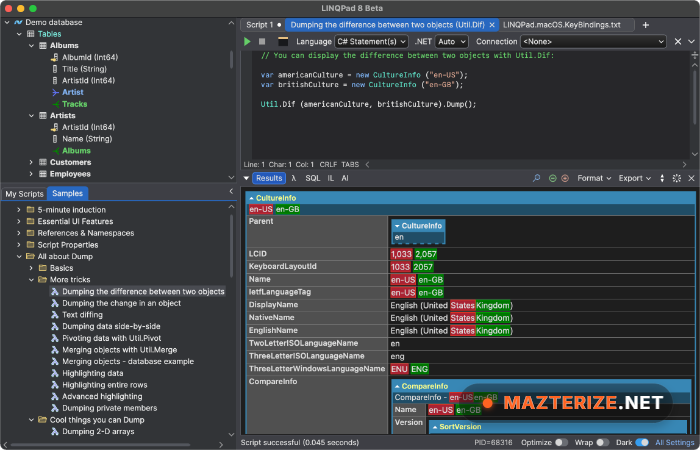
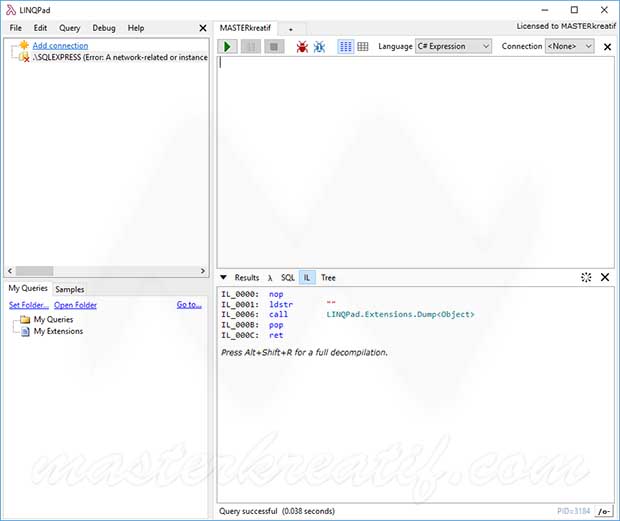
LINQPad 9.8.12 is a powerful Integrated Development Environment (IDE) that can be used to interactively manipulate LINQ and Lambda Expressions.It’s not just for Language Integrated Query (LINQ) queries, but also allows you to manipulate any C#/F#/VB expression. LINQPad lets you interactively query databases in a modern query language. The workings of this tool are similar to Visual Studio even though the application is much simpler and more focused on LINQ expression. It is a rich debugger, output formatting, instant feedback, auto-completion, and dynamic development. The Developer and Premium editions also enable your favorite Visual Studio C#/VB code snippets, plus a dozen unique high-productivity LINQ snippets.
LINQPad Premium supports all the LINQ APIs in the .NET Framework and works well in the latest version (.NET Framework 5), including LINQ to SQL, PLINQ, LINQ to XML, and Entity Framework. This program is very similar to SQL Server Management Studio but devoted to LINQ queries, it allows you to interact directly with the database using LINQ queries. It comes with an essential tool for writing and performance tuning Entity Framework queries including interactively executing LINQ queries with full auto-completion, new ability to switch between entity framework and LINQ to SQL data contexts, full SQL translation for every entity framework query, and many more.
The software is especially useful when testing ideas or validating code before integrating it into larger applications. Instead of opening complete development environments for small tasks, users can execute code instantly and inspect results in real time. LINQPad supports modern .NET development workflows and allows direct interaction with databases, making it practical for developers handling data analysis, backend logic, and query optimization. Features like syntax highlighting, auto completion, execution history, and integrated output windows help simplify everyday development work.
Key Features Of LINQPad Premium
- Assembly references, and .NET Framework
- Edit SQL data in grids and save changes to the database
- Auto translation to SQL, lambda, and IL
- Results to rich text or data grids, and much more.
- LINQ queries for C#/VB/F# expressions
- Quick-info, code-outlining, and auto-formatting
- Advanced autocompletion with list filtering
- Built-in and custom code snippets, and more.
- Integrated debugger, breakpoints and single-stepping
- Custom visualizers, extensions, and source
- Cross-database querying for SQL Server
- Smart tags for importing namespaces and references
What’s New In LINQPad Premium 9.8.12?
- Improved editor responsiveness
- Updated .NET compatibility
- Enhanced query execution stability
- Refined output rendering
- Better script handling performance
- Updated database interaction behavior
- Optimization updates across execution engine
- Other bug fixes and performance improvements.
ScreenShots
Related Softwares
Pulsar Modular Complete Effects Bundle
System Requirements
- Operating System: Windows 10 / Windows 11
- Processor: Intel Core i3 or higher
- RAM: 4 GB minimum
- Storage: 500 MB free space
- Extra: .NET environment recommended for full compatibility
Why I Recommend
LINQPad is one of those tools that saves time immediately because it removes the need to create full projects for testing simple ideas. Open the editor, run code, inspect output, and continue working.
I also like that it fits naturally into existing development workflows. Developers can test database queries, validate C# logic, and experiment with code without interrupting larger projects inside traditional IDEs.
This software works especially well for .NET developers, backend developers, database users, students, and anyone who regularly writes or tests C# code and wants a faster development cycle.
Technical Details
- Software Name: LINQPad Premium
- Version: 9.8.12
- Developer: LINQPad
- License Type: Free
- Supported OS: Windows
Download Information
Download | Size: 90.64 MB | Pass: Mazterize.net
