

CorelCAD is one of the best CAD software with high-performance CAD solution with industry-standard CAD features and native DWG file format support.CorelCAD 2023 provides customizable 2D drafting and 3D design tools that increase your workflow productivity with native CAD file format support. It delivers impressive speed, performance and customization, 3D print-ready features, and STL file output. In addition, it also includes a set of useful layer tools that allows you to work with multiple layers simultaneously.
CorelCAD 2023 is a powerful 2D and 3D computer-aided drafting software that provides you all the tools needed to model in 2D/3D. The software offers a wide array of drawing tools and editing options as generally expected from a good CAD application. The interface, mouse actions and keyboard shortcuts can be customized to your liking. Create, Collaborate, and share more easily with native CAD formats, including PDF, SVG, ACIS, SAT, DWF, DWG, DXF, DWT, and SHP.
This build improves DWG file compatibility and updates performance while handling larger projects with complex layers and references. 3D navigation also feels smoother during rendering and model editing. Users already creating technical layouts through Autodesk AutoCAD 2026 or working on architectural visualization inside Chaos Enscape 3D will probably adjust to CorelCAD pretty quickly.
Key Features of CorelCAD 2023
- 2D drafting tools
Create technical drawings, floor plans, layouts, and engineering documentation precisely. - 3D modeling support
Build and edit solid, surface, and mesh-based 3D models directly inside the workspace. - DWG file compatibility
Open, edit, and save DWG files used across major CAD platforms. - Advanced layer management
Organize technical drawings with layers, references, and annotation controls. - Customizable workspace
Adjust toolbars, shortcuts, and drafting layouts for different workflows. - Precision drafting tools
Use snapping, measurement, alignment, and dimensioning tools for accurate designs.
What’s New in CorelCAD 2023 ?
- Updated DWG compatibility
Improved support for newer AutoCAD DWG file formats and references. - Enhanced 3D navigation
Model rotation, zooming, and editing now feel smoother on larger projects. - Improved layer performance
Complex drawings with multiple layers and annotations respond more consistently. - Faster drawing regeneration
Large drafting projects now reload and refresh quicker during editing sessions. - Better Windows 11 support
Updated compatibility for newer display scaling and system interface behavior. - Bug fixes and drafting stability updates
Several crashes, rendering glitches, and file handling issues from earlier builds were corrected.
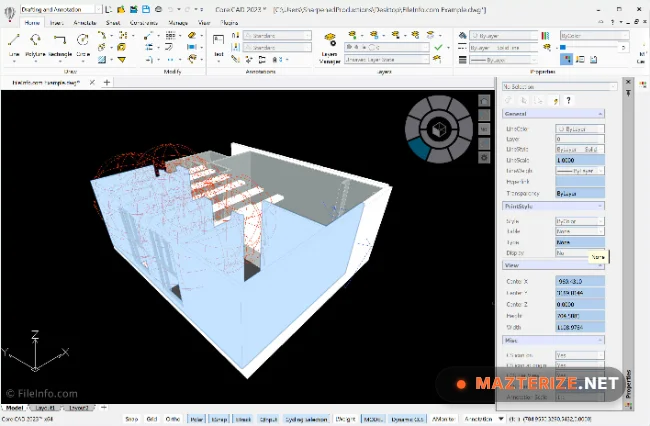
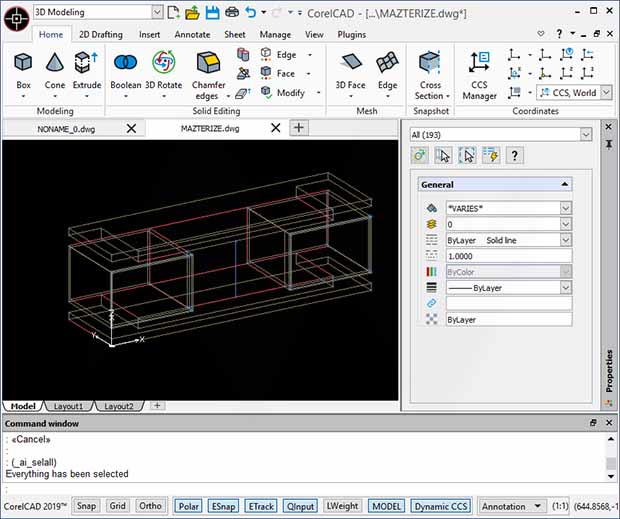
ScreenShots
Minimum Requirements
- Operating System: Windows 10 / Windows 11
- Processor: Intel Core i5 or higher
- RAM: 8 GB minimum
- Storage: 3 GB free space
- Graphics: DirectX 11 compatible GPU recommended
Why I Recommend
CorelCAD works well for users who want professional drafting tools without dealing with overly heavy CAD software every day.
The DWG compatibility also helps a lot when sharing projects between different CAD environments and office workflows.
And honestly, the interface feels easier to settle into for users already familiar with traditional drafting layouts and command-based CAD systems.
Technical Details
- Software Name: CorelCAD 2023
- Version: Build 22.3.1.4090
- Developer: Corel Corporation
- License Type: Full
- Supported OS: Windows
Download Information
Download | Size: 534 MB | Pass: Mazterize.net

the file is asking for the password to extract from rar. please I need help with the password