

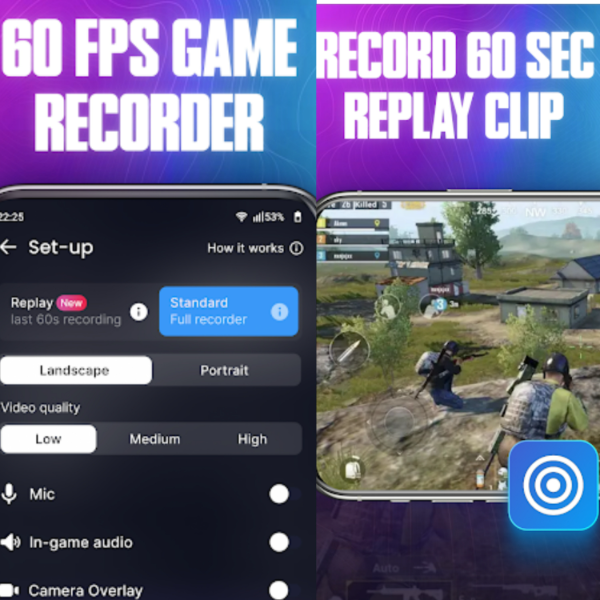
Glip Screen Recorder 3.0.78 is an Android screen recording app designed for capturing gameplay, tutorials, live sessions, video calls, and app activity directly from mobile devices. The app focuses on lightweight recording with simple controls, which makes it useful for users who want quick recordings without complicated editing menus.
The application supports HD screen recording, internal audio capture, floating controls, facecam overlays, screenshot tools, and direct sharing options for social media platforms. Mobile gamers and content creators usually use apps like this for recording gameplay clips, walkthroughs, reaction videos, and short tutorials.
This version feels more stable during longer recordings compared to earlier builds. Frame drops happen less often now, and audio synchronization is more consistent during gameplay captures. Users already editing clips with Boilsoft Video Splitter or converting mobile recordings through Any Video Converter Ultimate will probably fit Glip Screen Recorder into their workflow pretty easily.
Common Issues & Troubleshooting
- Audio not recording properly
Some Android versions restrict internal audio capture depending on device policies. - Lag during gameplay recording
Lower recording resolution and frame rate on mid-range phones. - Recording stopping automatically
Battery optimization settings sometimes close background recording services.
Key Features of Glip Screen Recorder 3.0.78
- HD screen recording
Capture Android screen activity in high-quality video resolution. - Internal audio support
Record game sounds and application audio directly from supported devices. - Facecam overlay
Add front camera reactions during gameplay or tutorials. - Floating recording controls
Start and stop recordings quickly while using other apps. - Screenshot capture tools
Take screenshots directly inside the application. - Social sharing support
Export and upload recordings to supported platforms easily.
ScreenShots
System Requirements
- Operating System: Android 8.0 or higher
- RAM: 3 GB minimum
- Storage: 200 MB free space plus recording storage
- Processor: Mid-range or higher Android chipset recommended
- Internet: Required for cloud sharing features
Why I Recommend
Glip Screen Recorder works well for people who need fast mobile screen recording without dealing with overly complicated editing tools.The floating controls and internal audio recording are especially useful for gameplay videos and app tutorials.The app also feels lighter than many overloaded Android recording apps that push too many unnecessary social features into the interface.
Technical Details
- App Name: Glip Screen Recorder
- Version: 3.0.78
- Developer: Glip Team
- License Type: Premium APK
- Supported OS: Android
Download Information
Download | Size: 73.46 MB | Pass: Mazterize.net
