

On my Windows 11 workstation (Intel i7, 16GB RAM), the v25.1.0.2 update feels significantly more stable when handling “On-Demand” platforms. A practical addition in this specific build is the multi-season batch downloader, which allows you to parse an entire TV series and queue up every episode with a single click. I noticed that for 1080p Netflix downloads, the speed stayed consistent at around 5x real-time, meaning a 45-minute episode was ready in about 9 minutes. However, be aware that while the 8K support is elite for YouTube, most paid streaming services still limit downloads to 1080p or 720p due to their own server-side DRM restrictions, regardless of what the software is capable of.
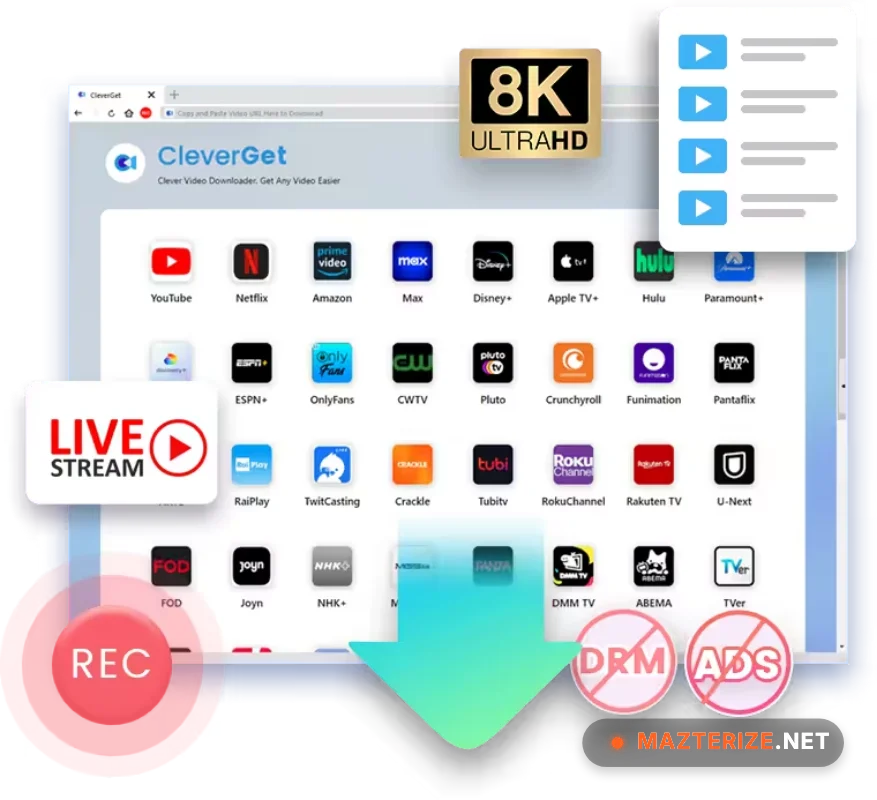
Beyond the downloads, the 2026 version of CleverGet includes a much-improved Streaming Video Recorder. This is a genuine lifesaver for sites that use strictly protected streams that can’t be “parsed”—it essentially records the playback area with zero quality loss. I found it particularly useful for saving a live-streamed concert that wasn’t going to be available for replay later. While the software is free to try, you’ll need a module-specific license for the “Big 3” streamers (Amazon, Netflix, Disney+). It’s a robust tool that manages the heavy lifting of removing ads from source videos automatically, ensuring your offline viewing is uninterrupted. Just make sure you have a fast SSD, as the temporary “cache” files for 4K downloads can easily exceed 10GB during the muxing phase.
Common Issues & Troubleshooting
- “Analysis Failed” Error: This usually happens if the streaming site has updated its security or if your internal browser cookies are stale. Fix: Click the “Home” icon to refresh the page, or clear the program cache in Settings > General > Clear Cache and try the link again.
- Downloads Stuck at 99%: This often occurs during the “Muxing” phase (joining video and audio). Tip: Don’t close the app! Muxing high-bitrate 4K files can take 2-3 minutes depending on your CPU speed. Ensure you have FFmpeg correctly initialized (CleverGet usually handles this automatically).
- No Audio in Downloaded File: If you’re using a niche media player, it might not support the AC3 or EAC3 audio tracks CleverGet often pulls. Fix: In the download window, manually select the “AAC” audio track instead of “Original” to ensure compatibility with all Windows devices.
Top 2026 Review Features: CleverGet 25.1.0.2
- 8K VIDEO DOWNLOADING: Support for ultra-high-res content from YouTube and daily motion sites. Surgically captures the highest possible bitrate for home theater setups.
- AD-FREE STREAMING: Automatically detects and skips ads during the download or recording process. Eliminates the friction of forced marketing breaks in your offline files.
- MULTI-CHANNEL AUDIO: Save videos with 5.1 surround sound (Dolby Digital Plus). Provides an elite level of audio fidelity for users with high-end soundbars.
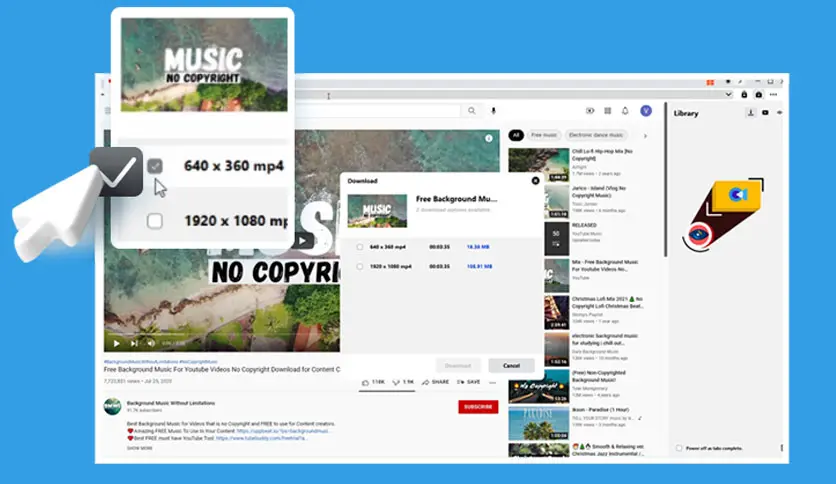
- BUILT-IN BROWSER: Search and play videos directly within the software interface. Removes the friction of copying and pasting URLs from an external browser.
ScreenShots
System Requirements for Windows (v25.1.0.2)
- Operating System: Windows 11, 10, or 8.1 (64-bit strictly recommended).
- Processor: 1 GHz or faster (Multi-core strictly recommended for 4K/8K parsing).
- RAM: 4 GB Minimum (8 GB or higher recommended for batch downloading).
- Graphics: Standard GPU (Hardware acceleration helps with 4K recording).
- Storage: 200 MB for installation, but 20 GB+ free space for video cache is a must.
Why I Recommend CleverGet 25.1.0.2
I recommend v25.1.0.2 because it is the most consistent “All-in-One” solution for someone who uses multiple streaming services. It’s more reliable than browser extensions that frequently break, and the **Streaming Recorder** backup ensures you can save almost anything that plays on your screen. The **metadata tagging** (titles, posters, and season info) is the best I’ve found for keeping a Plex or Jellyfin library organized. On the downside, the module-based pricing can be confusing and expensive if you want every single site supported. However, for a serious media collector who wants to keep their favorite content forever, it’s a vital tool that makes your digital library feel much more secure and permanent.
Technical Details
- Software Name: Leawo CleverGet Review
- Version: 25.1.0.2 (2026 Stable Release)
- Developer: CleverGet / Leawo Software
- License: Professional Review (Free Trial / Module-based Subscription)
- OS: Windows (x64), macOS
