
On my Windows 11 workstation (RTX 4070, 32GB RAM), ACR 18.2.2 feels incredibly responsive during batch edits. A practical addition in this 18.2.2 patch is the specific support for the Sony A7 V (ILCE-7M5), which previously had some metadata parsing issues in the 18.1 branch. The Generative AI Reflection Removal is the real standout here; I used it on a series of architectural shots with heavy window glare, and it surgically removed the reflections without blurring the underlying textures. However, be aware that these “Generative” features require AI Credits from your Creative Cloud plan—one Generative Upscale to 4K can eat 10 credits instantly, so you’ll want to use it selectively rather than on every draft.
Beyond the AI hype, the 18.2.2 update fixes several stability bugs that were plaguing Windows users, specifically a crash that occurred when navigating Camera Raw Profiles in non-English languages. It also introduces Assisted Culling with improved “Subject Selection” and “Eye Focus” models, which makes sorting through a 1,000-shot wedding gallery much faster. While the software is technically a “plug-in,” it functions as a standalone powerhouse that manages the entire initial color grade—including Point Color UI refinements—to ensure your high-bit-depth data is ready for Photoshop. Just keep an eye on your VRAM usage; the new AI-powered Denoise and Lens Blur features strictly require 8GB of dedicated GPU memory to run at peak speed.
Common Issues & Troubleshooting
- “Denoise” or “Lens Blur” Not Working: This is almost always a GPU compatibility issue. Fix: Go to Preferences > Performance and click “Reset GPU Support.” This forces ACR to re-scan your hardware and bypass previous initialization errors.
- WebP Files Not Exporting: While v18.2.2 adds read support for WebP, you still cannot export directly to WebP from the Camera Raw dialog. Workaround: Open the image in Photoshop and use “Export As” to save the final file back to WebP format.
- Blue or White Image Area: If the preview window turns a solid color, your graphics driver is likely outdated for the 2026 API. Fix: Download the latest NVIDIA Studio Driver (not the Game Ready one) or the latest AMD Adrenalin update specifically for Windows 11.
Top 2026 Review Features: Adobe Camera Raw 18.2.2
- GENERATIVE REFLECTION REMOVAL: Automatically detect and wipe out glass reflections in photos. Surgically cleans up shots taken through windows or near mirrors.
- WEBP READ SUPPORT: Native support for opening and editing WebP images. Eliminates the friction of converting web assets before you can start editing.
- ASSISTED CULLING MODELS: New AI logic for finding sharp eyes and subjects in group shots. Removes the friction of manually hunting for the best frame in a burst.
- GENERATIVE UPSCALE: Scale images up to 4X using AI-enhanced resolution. Provides an elite level of detail for large-format prints from cropped sources.
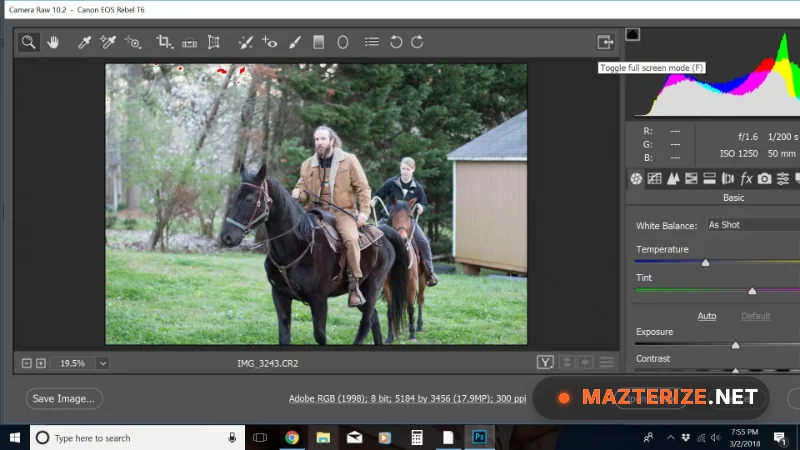
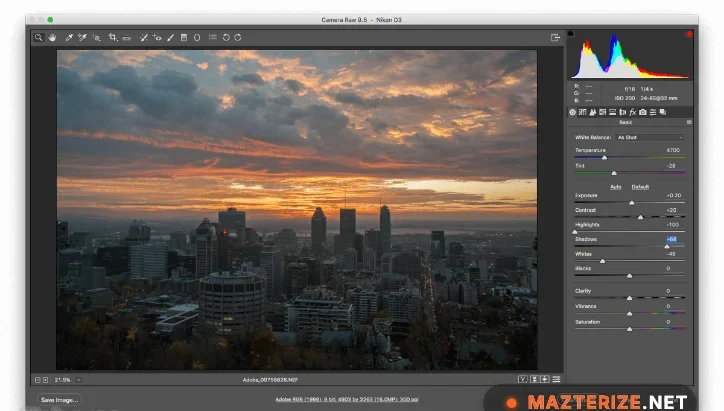
ScreenShots
System Requirements for Windows (v18.2.2)
- Operating System: Windows 11 (v23H2 or later) or Windows 10 (v22H2).
- Processor: Intel or AMD with SSE 4.2 support (64-bit strictly required).
- RAM: 4 GB Minimum (16 GB strictly recommended for AI tasks).
- Graphics (GPU): DirectX 12 support; 8GB VRAM required for full AI acceleration (Denoise/Upscale).
- Storage: 4 GB of available hard-disk space for the installation.
Why I Recommend Adobe Camera Raw 18.2.2
I recommend v18.2.2 because it is the most stable version for the latest 2026 camera sensors, especially if you’re shooting with the new Sony or Ricoh gear. It’s more consistent than free alternatives like GIMP or RawTherapee when it comes to Lens Profile accuracy and 1-click AI Denoising. The WebP support alone makes it a vital tool for modern digital workflows. On the downside, the credit-based AI features can get expensive if you’re a high-volume shooter. However, for a professional photographer who needs surgical control over their raw data before it hits the pixel-editing stage, it remains the absolute benchmark for efficiency and quality.
Technical Details
- Software Name: Adobe Camera Raw Review
- Version: 18.2.2 (February 2026 Stable)
- Developer: Adobe Inc.
- License: Professional Review (Creative Cloud Subscription)
- OS: Windows (x64 / ARM64)
