

BWMeter is a powerful bandwidth management software that allows you to monitor and controls the firewall & all traffic (from/to your computer or your network).This program is packaged in a simple layout with a tabbed interface, yet offers a comprehensive set of tools to manage all your network bandwidth. It lets you monitor, measure, display, and control all traffic on your network, so you can easily set the speed limit or determine which applications are authorized or prohibited from using the internet connection.
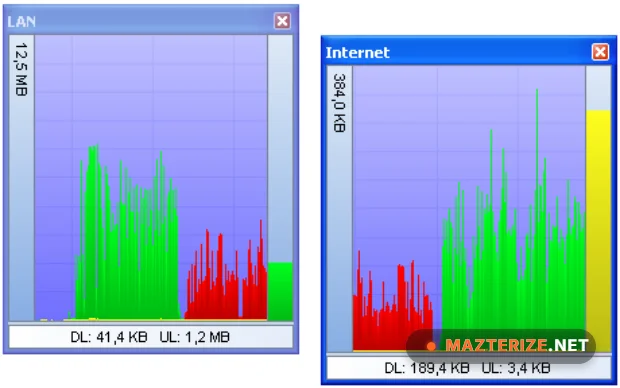
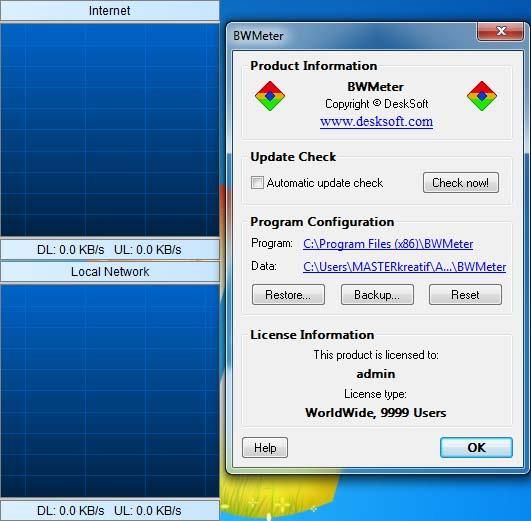
BWMeter allows you to analyze the data packets on local and internet traffic in real-time. This feature makes it easier to monitor all activities of software that uses the network. This program is very reasonably easy-to-use, yet it also offers a rich set of options and features to the experts and network administrators. What we liked the most however were the graphs generated by the app that can be updated at a user-defined interval and can be fully customized with a different position and size, various display units, and fractional digits, but also with a new visual style.
BWMeter can also be used for traffic control by setting a speed limit for all kinds of connections or restricting access to applications on certain internet sites. It creates statistics for all computers in your network, measuring and displaying all LAN traffic as well as downloading/uploading from the internet. You can even define filters that show your transfer with certain internet addresses (e.g. to see how much data you download from your favorite news server).
BWMeter Full Version is ideal for home users to get an overview of how much bandwidth they use, as well as small to large businesses, where one computer can control the traffic and maintain the statistics of downloaded/uploaded data of all computers in the network. The product is easy to configure and offers a rich set of options and features for beginners as well as experts and network administrators. The app is based on WinpkFilter network drivers.
Key Features of BWMeter
- Advanced filters for measuring bandwidth
- Easy configuration with default options
- Firewall mode (interactive and silent)
- Graphical and numerical bandwidth
- Many options and fully customizable
- Monitor all network interfaces/adapters
- Ping support for monitoring connections
- Powerful traffic control and speed limits
- Traffic control and full access control
- Statistics can be exported/imported
- Shows suspicious internet traffic, etc.
- Supports all network types, and more.
- Alerts and notifications, and much more.
What’s New in BWMeter 9?
- Usage Statistics
Generate detailed reports for daily, weekly, and monthly traffic activity. - Connection Alerts
Receive notifications when traffic limits or thresholds are reached. - Firewall Monitoring
View suspicious or unusual network activity directly inside the application. - Low Resource Usage
Run monitoring tools continuously without slowing down the system.
Screenshot
BWMeter System Requirements
- Windows XP/ Vista/ 7/ 8/ 8.1/ 10/ 11 or Server 2003/ 2008/ 2012/ 2016/ 2019 (32-bit or 64-bit – all editions)
- Computer with reasonable speed
- 1024 x 768 display
- 5 MB disk space
Why I Recommend
BWMeter works well because it gives detailed traffic information without making the interface complicated. Users can monitor bandwidth in real time and quickly identify which programs or devices are consuming network resources.
The filtering system is especially useful for troubleshooting unstable internet connections or tracking heavy background downloads. Reports are easy to read, and long-term statistics help users monitor monthly data usage accurately.
The software also runs efficiently in the background. Even during continuous monitoring sessions, resource usage remains low enough for gaming, streaming, or office work without noticeable slowdowns.
Technical Details
- Software Name: BWMeter
- Version: 9.0.3
- Developer: DeskSoft
- License Type: Freeware / Trial
- Supported OS: Windows
BWMeter 9.0.3 Full Version
Download | Size: 2.87 MB| Pass: Mazterize.net
