

ManicTime Professional is an advanced and automatic time tracking software, which tracks any computer usage and time spent on various projects and tasks.The program helps users to keep track of their time spent, automatically recorded past events, monitor their PC usage, and track the most often used applications. It runs in the background and automatically records your activities in real-time, so you can accurately keep track of your time.
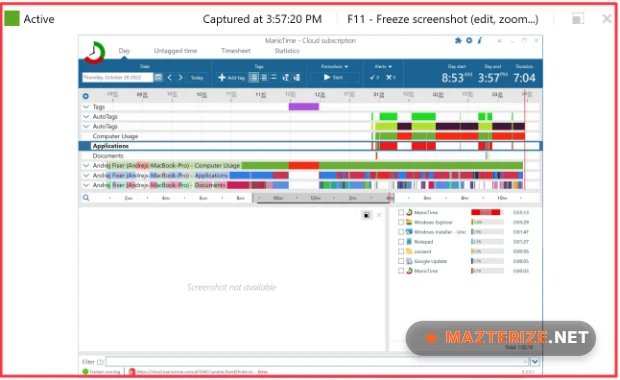
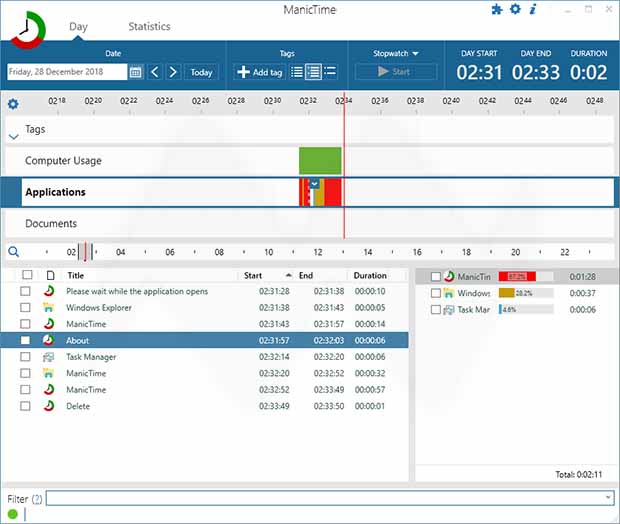
ManicTime Pro is a utility software to help people maximize their productivity during work hours by monitoring and generating statistics. With its well-organized features, backup and restore capabilities, and minimal resource usage (CPU and memory), you can maximize your productivity with ease. You can view graphical representations, lists of applications, files, folders, and changes to the system. Furthermore, it is possible to view the exact number of hours you have worked for a client during a user-input period of time.
This is going to be displayed as a table, and your tags are going to be factored in. These reports can be copied to the Clipboard or saved to the hard disk as IFF or CSV files. Timeline rendering is smoother when handling large activity histories and database optimization reduces memory usage during long sessions. Users who organize projects using SimpleMind Pro or manage workflows with WindowManager can integrate ManicTime Pro into the same productivity setup.
Key Features Of ManicTime Professional
- Comprehensive statistics and charts features
- Export as image files, as well as IFF or CSV files
- Track your time and maximize productivity
- Runs in the background and logs applications
- Super simple and intuitive user interface (UI)
- Copy the reports to the Clipboard and more.
What’s New in ManicTime Pro 2026?
- Detailed Productivity Reports
Generate reports based on projects, tasks, and application usage. - Timeline Monitoring
View daily activity logs in a visual timeline format. - Offline Tracking
Track productivity without requiring a constant internet connection. - Tagging and Categorization
Organize activities into custom work categories and projects. - Data Privacy Controls
Store activity data locally with full user control. - Automatic Time Tracking
Record application usage and activity without manual timers.
ScreenShots
ManicTime Professional System Requirements
- Windows XP/ Vista/ 7/ 8/ 8.1/ 10/ 11 (32-bit or 64-bit – all editions)
- 1 GHz or faster processor
- 512 MB RAM (memory)
- 100 MB free hard disk space
- .NET Framework 4.0 or above
Why I Recommend
ManicTime Pro works well because it tracks activity automatically instead of depending on manual timers. Users can focus on work while the software records productivity data quietly in the background.
The reporting tools are detailed without becoming difficult to understand. Timelines, categories, and application tracking make it easier to identify where time is actually spent during long work sessions.
The local data storage system is another strong point. Activity records stay on the user’s computer, which gives better privacy control compared to many cloud-based tracking services.
Technical Details
- Software Name: ManicTime Pro
- Version: 2026.1.2.1
- Developer: ManicTime
- License Type: Full
- Supported OS: Windows
ManicTime Pro 2026.1.2.1 Free Download
Download | Size: 98 MB | Pass: Mazterize.net
